







Black Friday is approaching, and for homelab enthusiasts, the temptation to grab every shiny new mini PC is real. But building a stable Kubernetes cluster requires a smarter strategy than just chasing raw compute power.
Prioritize the Foundation Over the CPU
When the sales start rolling in this
November, your shopping cart will likely be filled with high-core-count processors and lightning-fast switches. It is tempting to chase the highest specs, but a Kubernetes cluster is only as reliable as its weakest link. If you are building on a budget, your first priority should not be the compute nodes, but the infrastructure that protects them. This means investing in Uninterruptible Power Supplies (UPS) and high-endurance storage drives. A sudden power cut without a clean shutdown can devastate a cluster, hitting every disk and every guest instance simultaneously. Buying the power protection and the drives first ensures that when you do add more nodes, you are adding to a stable foundation rather than a house of cards.
The Storage Trap: Endurance Matters
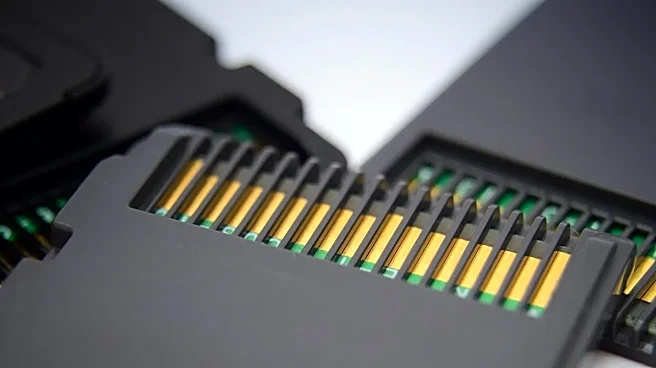
In a Kubernetes environment, especially one running ZFS or Proxmox, consumer-grade SSDs often fail prematurely. The constant write cycles from container logging and stateful workloads can wear down standard flash media much faster than a typical desktop computer would. When browsing Black Friday deals, look specifically for drives rated for high Terabytes Written (TBW). For instance, enterprise-grade SATA drives often include on-board capacitors that allow the drive to finish in-flight writes if power is lost. If you are opting for a more compact build using M.2 NVMe slots, ensure you are selecting drives that can handle the sustained random write throughput required to prevent disk queue saturation during heavy periods of activity.
ARM vs. x86: The Great Budget Debate
One of the biggest decisions you will face is whether to go the ARM route with single-board computers (SBCs) like the Orange Pi series or stick to refurbished x86 hardware. An ARM-based cluster using Orange Pi 5 boards can be a fun, compact project, but it comes with hidden costs. To build a reliable three-node cluster with 16GB boards, NVMe storage, active cooling, and a proper industrial power supply, you might find yourself spending upwards of $600. On the other hand, the refurbished market is a goldmine for budget builders. You can often find enterprise-grade Ultra-Small Form Factor (USFF) PCs, like a Dell OptiPlex or an HP EliteDesk, for significantly less. These refurbished units often provide more RAM and much more powerful multi-core processors for a fraction of the price of a high-end ARM setup.
Don't Forget the Power and Heat
If you do decide to go the SBC route, do not fall into the trap of using cheap smartphone chargers. Standard 5V 2A wall bricks often lack the instantaneous current headroom needed when a Linux governor scales up CPU frequency under load, leading to random reboots and erratic node behavior. For a stable cluster, look for industrial power supplies or centralized DC distribution blocks. Additionally, thermal management is non-negotiable. High-performance chips throttle aggressively when they get hot. A budget build that relies solely on small, passive heatsinks will likely see its performance halved within minutes of a heavy workload. Plan to include active cooling, such as PWM fans, to keep your nodes running at their rated speeds.