


You’ve seen the videos and read the guides. A sleek machine hums away, effortlessly turning a digital file into a perfect physical object. But as many new owners discover, there’s a world of difference between the sales pitch and reality.
It’s a Hobby, Not an Appliance
Buyer's guides
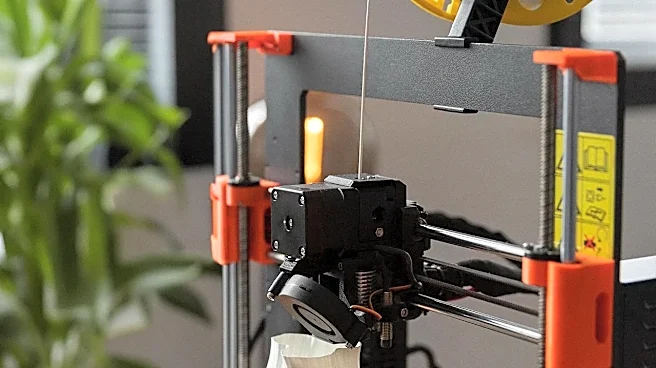
often frame a 3D printer as a plug-and-play appliance, like a microwave or a paper printer. The reality is that a 3D printer is a complex piece of equipment that demands a hands-on approach. It's less like an appliance and more like a new hobby that requires learning, patience, and a willingness to get your hands dirty. The satisfaction comes from mastering the machine, not just using it. Expect to spend hours learning, not just printing.
Your First Prints Will Probably Fail
One of the most common and frustrating experiences for beginners is the sheer number of failed prints. Guides might show perfect first-layer adhesion, but in practice, getting that initial layer to stick properly is a major hurdle. Prints can warp, come unstuck from the build plate, or turn into a tangled mess of plastic spaghetti for dozens of reasons. These failures are a normal part of the learning curve, teaching you the critical relationship between bed leveling, temperature, and material choice. Don't get discouraged; treat every failure as a lesson.
Calibration Is Constant, Not a One-Time Task
Many modern printers boast 'auto bed leveling', suggesting setup is a one-click affair. While these systems help, they don’t eliminate the need for calibration. Bed leveling is a frequent task, especially on entry-level machines. Beyond that, you'll need to calibrate your extruder's E-steps, flow rates, and retraction settings to achieve high-quality prints. These aren't set-and forget parameters; they change with different filament types and even different spools from the same brand. Regular maintenance and calibration are essential for consistent results.
Software Is Half the Battle
The printer is only one part of the equation. The other half is the software. First, you need a 3D model, which involves either downloading files from sites like Thingiverse or learning computer_aided design (CAD) software yourself—a significant skill in its own right. Then, you must process that model through a 'slicer' program. This software converts the model into instructions for the printer, and its dozens of settings—from layer height and infill density to print speed and support structures—have a massive impact on the final result. Mastering your slicer is just as important as mastering the printer itself.
The Hidden Costs of Materials and Maintenance
The price of the printer is just the beginning. The ongoing costs of filament, which can range from $20 to over $70 per kilogram depending on the material, add up quickly. You'll also find that parts wear out. Nozzles clog and need replacing, PTFE tubes degrade, and belts can stretch or fray. Then there are the upgrades you'll inevitably want, like hardened steel nozzles for abrasive filaments, better build plates, or filament dryers to protect your materials from moisture, which can ruin prints. These costs are rarely highlighted in buyer's guides but are a fundamental part of the hobby.
The Mess, the Noise, and the Fumes
Buyer's guides rarely mention the practical realities of living with a 3D printer. These machines can be noisy, operating for hours or even days on a single print. They also generate plastic waste from failed prints, support material, and filament scraps. Some materials, like ABS, can release unpleasant and potentially harmful fumes, requiring proper ventilation or an enclosure. Even 'safe' materials like PLA can produce ultrafine particles. It's crucial to consider where you'll put the printer and how you'll manage its environmental impact in your home.