







Leaving the Always-On Display Enabled
The single biggest battery drain on most modern smartwatches is the screen. While having your watch face visible at all times mimics a traditional timepiece, the always-on display (AOD) feature consumes a huge amount of power. Disabling it can be the most impactful
change you make. Modern wearables are excellent at detecting when you raise your wrist to look at the screen, lighting it up only when needed. To make this change, navigate to your watch's display settings and toggle off "Always-On Display." This simple action can sometimes extend battery life by hours, turning a device that dies mid-afternoon into one that lasts until bedtime.
Ignoring Notification Overload
Every buzz, vibration, and screen-lighting notification uses a small amount of power. When you allow every app on your phone to push alerts to your wrist, the cumulative effect is a significant battery drain. Each alert for a social media like, a game update, or a breaking news story wakes the processor and lights up the display. Be ruthless about which apps have notification privileges. Go into your wearable’s companion app on your smartphone and disable alerts for everything non-essential, allowing only critical notifications like calls, messages, and calendar reminders to come through. A quieter wrist is a longer-lasting one.
Keeping All Health Sensors on Maximum
Your wearable is packed with sophisticated sensors for tracking heart rate, blood oxygen (SpO2), stress levels, and more. By default, these are often set to monitor continuously or at very high frequencies. While useful for intense workouts or medical monitoring, 24/7 tracking is overkill for most users and a major power consumer. Check your device's health settings. You can often change the heart rate monitoring interval from "continuous" to every 10 minutes or even longer. Unless you have a specific reason to track blood oxygen levels during sleep, turning that feature off can also provide a noticeable boost.
Using GPS and Connectivity Incessantly
Wireless radios are silent battery killers. GPS is perhaps the most demanding, capable of draining a significant portion of your battery during a long run or hike. If your battery life is fine on rest days but plummets during outdoor workouts, your GPS usage is the likely culprit. Beyond GPS, leaving Wi-Fi and Bluetooth on when not needed also contributes to the drain. If your watch has its own cellular (LTE) connection, it uses even more power than connecting via your phone's Bluetooth. Get into the habit of turning off GPS after workouts and using airplane mode when you don't need any connectivity for an extended period.
Skipping Software Updates
It can be tempting to dismiss those constant "update available" notifications, but they often contain critical battery optimizations. Manufacturers frequently release firmware and software updates that patch bugs and improve power efficiency. A sudden battery drain issue that appears out of nowhere can sometimes be caused by a software glitch that a subsequent update is designed to fix. Ensure your watch and its companion apps are set to auto-update or manually check for updates regularly. Running on old software could mean you're missing out on easy performance gains that keep your device running longer.
Choosing Flashy, Complicated Watch Faces
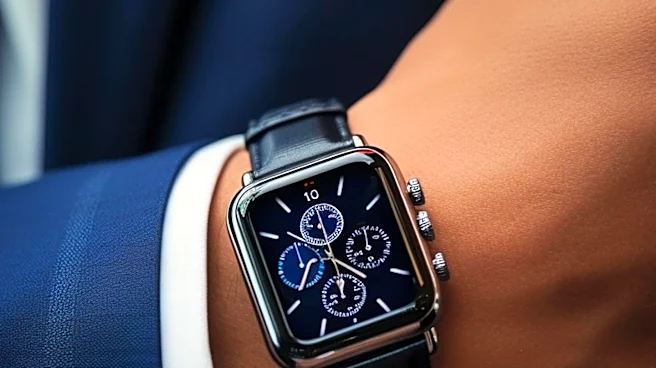
That cool, animated watch face with a dozen data-rich complications might look great, but it's also working your device's processor and screen overtime. Watch faces that constantly update information—like weather, stock prices, or second hands—require more power than simple, static ones. If your watch has an OLED or AMOLED screen, using a watch face with a predominantly black background can also save a surprising amount of energy, as these displays don't need to power pixels to show black. If you're struggling to make it through the day, try switching to a minimalist face with just the time and date.