




What Exactly Is ‘Quishing’?
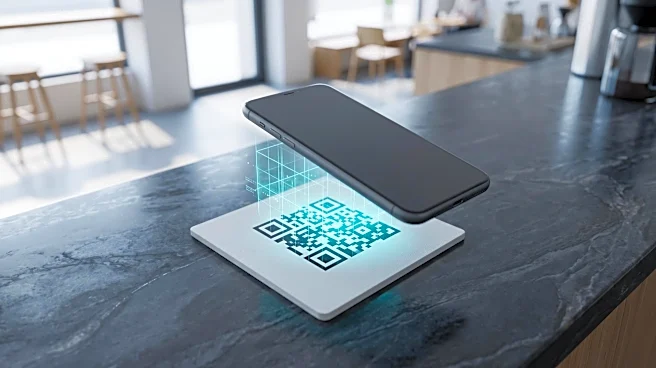
Quishing is a mashup of “QR code” and “phishing.” It’s a cyberattack where criminals use malicious QR codes to trick you into visiting fake websites or downloading malware. Unlike a suspicious email link you might hesitate to click, a QR code is a black
box; you can't see the web address hidden inside until you've already scanned it. This element of surprise is what makes it so effective. Scammers are banking on the trust we’ve built up using QR codes for everything from restaurant menus to concert tickets. They exploit that sense of normalcy to bypass the usual security filters in your brain and on your devices. A single scan can lead you to a convincing but fraudulent login page, a bogus payment portal, or a site that silently installs spyware on your phone.
The Real-World Risks of a Bad Scan
The consequences of scanning a malicious QR code range from annoying to financially devastating. The most common scams involve creating fake login pages for services like your bank, email, or social media. Once you enter your credentials, the attackers have them. Another popular tactic involves fake payment portals. Scammers place their own QR code stickers over legitimate ones on parking meters, at gas pumps, or on public flyers. You think you’re paying for parking, but you’re actually sending your credit card details directly to a criminal. In other cases, scanning a code can trigger the download of malware that can steal your personal information, track your location, or even hold your device hostage for ransom. The FBI has also warned of scams where unsolicited packages arrive with a QR code, promising information about the “gift” but leading to a data-stealing site instead.
How to Spot a Suspicious QR Code
While scammers are clever, they often leave clues. First, consider the context. Is the QR code in an unexpected place, or does it appear in an unsolicited email or text message? Be skeptical of any QR code that creates a sense of urgency. Physically inspect codes in public spaces. Does it look like a sticker placed on top of another QR code? If it’s peeling, bubbly, or doesn’t look professionally printed, it might be tampered with. Before you fully open the link after scanning, most modern smartphones will show you a preview of the URL. Examine it closely. Look for spelling mistakes or letters that have been switched around to mimic a legitimate brand. If anything feels off, don’t proceed. When in doubt, it’s always safer to manually type in a website address you know is real rather than scanning a code.
Simple Steps to Protect Yourself
Beyond visual inspection, your best defense is a healthy dose of caution. Treat every QR code as you would any other link—a potential gateway that needs verification. Avoid entering sensitive information like passwords or financial details on any website you’ve accessed via a QR code unless you are absolutely certain of its legitimacy. For an added layer of security, use a QR scanner app that includes security features, which can warn you about suspicious links before they open. Make sure your phone’s operating system and apps are always updated, as these updates often contain critical security patches that protect against vulnerabilities exploited by malware. And if you do accidentally scan a malicious code and enter information, change your passwords for any affected accounts immediately and monitor your financial statements for fraudulent activity.