







First, Know the Categories
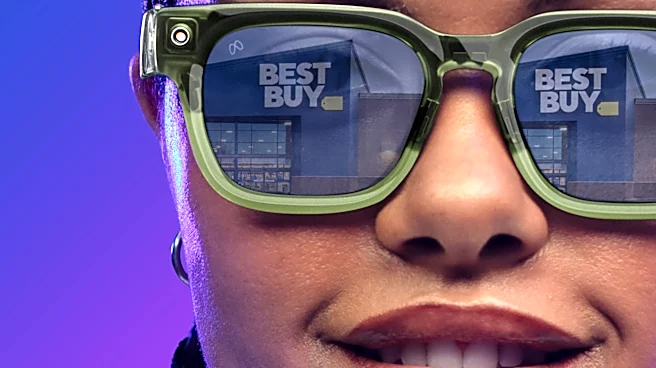
Before you even touch a pair, understand what you're shopping for. The smart glasses market in 2026 is split into a few key types. First are AI glasses, like the Ray-Ban Meta Gen 2, which primarily use a camera and microphone to interact with a voice
assistant and capture content. They don't have a visual display. Next are AR (augmented reality) display glasses, which project visuals like notifications, maps, or even a giant virtual screen for watching movies into your field of view. Models range from simple notification-only displays to immersive screens from brands like Viture and XREAL. Knowing whether you want a hands-free assistant or a wearable display is the most important first step.
Judge the Physical Fit and Comfort
This is non-negotiable. If they aren't comfortable, you won't wear them. When you try a pair on, pay attention to the weight and how it's distributed. Do the frames put too much pressure on your nose or behind your ears? Walk around with them for at least 15 minutes. Some retailers offer extended return windows; use this time for a proper home comfort test. If you wear prescription lenses, this is a critical consideration. Many models don't support prescription lenses, and for those that do, it's often an added cost and process. Don't assume you can wear them over your existing glasses; that rarely works.
Critically Assess the Display
If you're testing AR glasses, the display is everything. Don't be wowed by the in-store demo loop. Ask to see simple text. Is it crisp and easy to read? Or are the edges blurry? Move your head around; does the image stay stable? Check the field of view (FOV)—a narrow FOV can feel like looking through a keyhole. Also, test the brightness. See how it looks in a dim corner of the store and then near a bright window. A display that's too bright in the dark or invisible in the sun is a dealbreaker. Eye strain is a common complaint, often caused by brightness mismatches or your eyes constantly refocusing between the display and the real world.
Test the Audio and Microphone
Most smart glasses use open-ear speakers, which play audio without covering your ears. Play a song and a podcast. Does the audio sound tinny and thin, or does it have some balance? How much can people around you hear? This is a key test for wearing them in an office or on public transit. Next, test the microphones. Record a voice memo or, even better, make a phone call to a friend. Ask them how you sound, especially if there's background noise. A primary function of these devices is hands-free communication, so poor microphone quality is a major flaw.
Put the Software and Controls Through Their Paces
Hardware is only half the story. The software experience is what makes smart glasses useful. How do you control them? Is it a touchpad on the arm, voice commands, or a connected app? Test the responsiveness. If you're trying AI glasses, ask the assistant several questions. How quickly and accurately does it respond? If you're testing AR glasses, navigate the menus. Is the interface intuitive? The best glasses differentiate themselves with software features like live translation, AI assistants, and seamless connectivity with your phone.
Simulate Your Daily Life and Check the Battery
The ultimate test is how the glasses fit into your actual life. Manufacturers often advertise battery life in standby mode, which isn't realistic. With display-based glasses, active use can drain a battery in just a few hours. If you plan to use them on your commute, can they last the whole trip while streaming video? If you want them for outdoor exercise, will sweat cause them to slip? Try walking outside and looking at notifications. The distraction risk is real, so see how they feel while in motion. A thorough test should mimic the real-world problems you expect the glasses to solve.