





The Benchmark Myth
Most laptop reviews are built around benchmarks. They run a series of tests to measure the maximum horsepower of the processor (CPU) and graphics card (GPU) and slap a score on it. For most users, this is a decent guide. But for a live streamer, it’s
fundamentally misleading. Streaming isn't a short sprint; it's a marathon. You're simultaneously playing a game, encoding video in OBS or Streamlabs, running chat overlays, and managing audio. This combined workload generates immense and, more importantly, continuous heat. Benchmark scores reflect a laptop's performance in short bursts, not its ability to handle a heavy, hours-long workload without breaking a sweat.
The Real Bottleneck: Sustained Performance
The hidden detail that truly matters is sustained performance, which is dictated by a laptop's cooling system. When components get too hot, a safety feature called 'thermal throttling' kicks in, automatically slowing down the CPU and GPU to prevent damage. This is why a laptop that seems blazing fast on paper can start stuttering and dropping frames partway through a stream. The cooling system—the combination of fans, heat pipes, and vents—is what determines if a laptop can maintain its advertised performance over time. Creator-focused laptops are often engineered for better sustained performance compared to gaming laptops that might be tuned for short, intense bursts of power. A weak thermal design is the number one reason a powerful, expensive laptop fails the real-world streaming test.
The Noisy, Annoying Sidekick
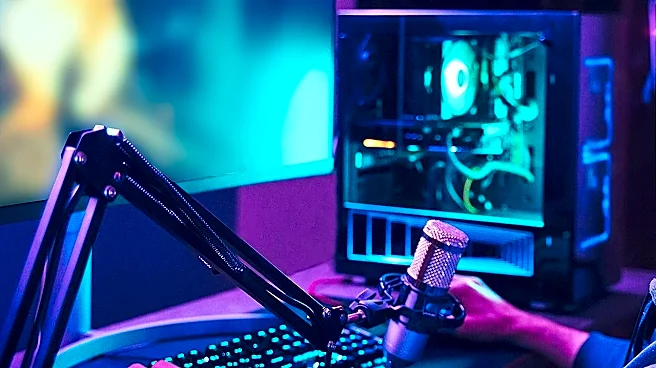
Even with a great cooling system, there’s a trade-off: fan noise. Laptops are compact, and their fans have to spin incredibly fast to dissipate heat, creating a distinct whirring sound. If your microphone is too close to your laptop's exhaust vents, that fan noise can bleed directly into your stream's audio, making you sound unprofessional. Reviews rarely test for acoustic performance under a specific streaming load. A 'quiet' laptop might become a jet engine when the CPU and GPU are both working hard to encode your stream. Looking for laptops praised for their thermal management, and then using software tools like noise gates in OBS, can help, but the physical reality of a loud fan is a detail many shoppers discover too late.
Don't Forget the Supporting Cast
Beyond thermals, reviews often glance over other practicalities crucial for streaming. Port selection is a big one. You need enough USB ports for your microphone, camera, and other peripherals, and they need to be placed conveniently. An HDMI or DisplayPort output is essential for a second monitor. Similarly, while many streamers use external webcams, the quality of the built_in camera and microphone can be a lifesaver for on_the_go streaming. And finally, don't ignore the power brick. A massive, heavy power adapter can make a supposedly 'portable' laptop a pain to travel with. These practical details, often relegated to a single sentence in reviews, can have a huge impact on your day_to_day streaming workflow.
How to Look Beyond the Review
So how do you spot a true streaming workhorse? First, shift your focus from peak benchmarks to thermal design. Look for reviews that specifically test for sustained performance or throttling, sometimes using looped benchmark tests to simulate a long workload. Pay attention to discussions of 'creator' laptops, as these are often built with thermal stability in mind. Second, search for user reviews or forum discussions from other streamers using the model you're considering. They will be the first to complain about fan noise or performance dips during long sessions. Finally, prioritize laptops with robust cooling systems mentioned in their marketing, like vapor chambers or multiple fans and heat pipes, as these are indicators that the manufacturer has considered sustained loads.