








The Crowded Airwaves Problem
Imagine trying to have a quiet conversation in a packed sports stadium during the final play. That’s your Wi-Fi’s life in an apartment building. Every one of your neighbors has a router, and they’re all shouting on the same limited number of channels.
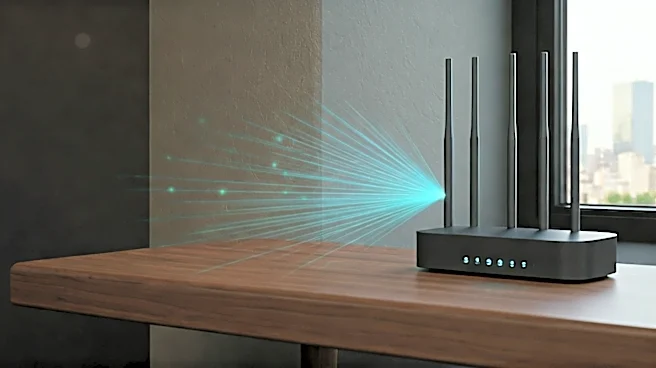
This is called channel congestion. While modern mesh systems are designed to automatically find the clearest channel, in a dense apartment complex, there often isn’t one. Your network is constantly competing with dozens of others—not just for speed, but for basic stability. This digital noise floor is the number one reason the pristine performance you see in reviews, often tested in a detached single-family home, doesn't translate to your multi-unit dwelling. Your system isn't just fighting to get a signal to your laptop; it's fighting every other network within a 100-foot radius.
Your Walls Are Working Against You
Not all walls are created equal. The suburban home where mesh technology was largely developed is typically built with wood studs and drywall—materials that Wi-Fi signals pass through with relative ease. Apartments, on the other hand, are a different beast. To meet fire codes and provide structural integrity and sound dampening, they are often built with concrete, steel beams, plaster over metal lath, and cinder blocks. These dense materials are Wi-Fi killers. A signal that could easily travel through three drywall walls in a house might be stopped dead by a single concrete wall in your apartment. This forces your mesh nodes to work much harder to communicate with each other (a process called 'backhaul') and with your devices, dramatically reducing their effective range and speed. The signal might get through, but it arrives weaker and slower.
Node Placement Is a Delicate Balance
The core idea of a mesh network is that multiple satellites, or nodes, blanket your space in signal. But where you place them is a Goldilocks game, especially in an apartment. The common mistake is treating them like simple signal extenders, placing a node only where the signal is already dead. By then, it’s too late. A mesh node needs to be placed where it can still receive a strong, clean signal from the main router or another node. If you place it too far away, it will have a weak connection to the rest of the network, and any device connected to that node will have a slow, unreliable experience. In a small apartment, you might also place them too close, creating unnecessary overlap and interference. Finding that sweet spot—far enough to expand coverage but close enough for a strong backhaul link, all while navigating signal-blocking walls—is far more challenging than the simple setup apps suggest.
The Double-Edged Sword of Neighborly Tech
You aren't the only one who got the memo about mesh. As more of your neighbors upgrade to their own multi-node mesh systems, the airwaves become even more complex. An old-fashioned single router creates one primary point of interference. A building full of mesh networks creates dozens of smaller, overlapping signal bubbles. These systems are all intelligently trying to manage their own traffic, but they can't coordinate with each other. The result is a chaotic environment where your network might be fighting your next-door neighbor's satellite node for the same sliver of spectrum right through your shared living room wall. Furthermore, interference doesn't just come from other Wi-Fi networks. Bluetooth speakers, wireless security cameras, smart home hubs, and even microwave ovens all contribute to the invisible smog that can degrade your network’s real-world performance.