






The Seduction of Sequential Speeds
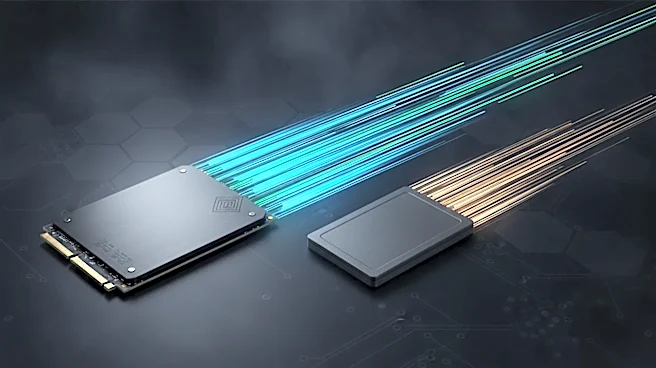
On paper, the battle between NVMe and SATA SSDs looks like a blowout. SATA III drives, the long-reigning standard, are capped at a theoretical maximum of 600 MB/s. In practice, they top out around 550 MB/s. Then NVMe (Non-Volatile Memory Express) drives came
along, using the high-speed PCIe bus to connect directly to the CPU. This is like giving the drive its own personal highway. Early PCIe 3.0 NVMe drives hit 3,500 MB/s. Modern PCIe 4.0 drives cruise at over 7,000 MB/s, and the latest PCIe 5.0 models can exceed 14,000 MB/s. Based on these sequential transfer speeds—the number most often printed on the box—NVMe drives are anywhere from 6 to over 20 times faster. Case closed, right? Not quite.
Your PC Isn't a Drag Race
Those massive speed numbers refer to sequential transfers, which means reading or writing one single, very large file from start to finish. Think copying a 50GB movie. In that scenario, an NVMe drive is dramatically faster. But most of what your computer does isn't like that. Loading your operating system, launching a program, or loading a game level involves fetching thousands of tiny files scattered all over the drive. This is called random access, and here, raw top speed is less important than how quickly the drive can start and stop to find the next piece of data. A Ferrari is faster than a pizza delivery scooter, but not if it has to navigate a thousand different side streets to deliver a thousand individual pepperoni slices.
The Real Hero: Lower Latency
The true, tangible advantage of NVMe for everyday use is its dramatically lower latency. Because SATA was designed for spinning hard drives, its communication protocol (AHCI) has a lot of built-in overhead. It has to go through more layers to talk to the CPU. NVMe was built from the ground up for flash memory, cutting out the middleman. This architectural difference means an NVMe drive can respond to a request in as little as 10-20 microseconds, while a SATA drive might take around 100 microseconds or more. While that difference is imperceptible for a single operation, your computer performs millions of them. This is what makes an NVMe-powered system feel "snappier." Windows might boot in 16 seconds instead of 36, or an application will just pop open instantly.
It's All About the Queue
Another crucial difference is how the drives handle multitasking. The SATA protocol can handle a single command queue with a depth of 32 commands. In contrast, the NVMe protocol can manage a staggering 65,535 queues, each with 65,535 commands. This massive parallelism means NVMe drives are far better at handling the chaotic, simultaneous I/O requests of a modern operating system or a complex application. While you're unlikely to hit those theoretical limits, it illustrates a core design philosophy: SATA was built to handle one thing at a time, while NVMe was built to handle everything at once. This is why NVMe excels in heavy workloads like video editing or large database operations, where the system is under constant I/O pressure.
So, Who Actually Needs It?
For the average user and even most gamers, the difference between a high-end SATA SSD and a mainstream NVMe drive can be surprisingly small. Game load times might be a couple of seconds faster, but it's rarely the 10x improvement the specs suggest. The massive leap in user experience comes from upgrading from a mechanical hard drive to any SSD. However, as prices have dropped, NVMe has become the default choice for new builds. Professional content creators who regularly move massive video files will feel the full benefit of NVMe's sequential speeds. And as technologies like Microsoft's DirectStorage become more common, which allow games to stream assets directly from the drive to the GPU, the high bandwidth of NVMe drives will become increasingly important.