







The Smart Home's New Bottleneck
Not long ago, the biggest Wi-Fi challenge was getting a signal to the far side of the house. Today, it’s about managing chaos. A modern smart home with 50 or more devices—from 4K security cameras and streaming sticks to countless smart bulbs, plugs, and sensors—creates
a level of network congestion that was once exclusive to office buildings. Each device, even a simple smart plug, needs to talk to the router. This isn't just about raw speed; it's about the router's ability to handle dozens of simultaneous conversations without dropping the ball. When a network designed for 10 devices suddenly has to manage 50, you get lag, dropped connections, and gadgets that mysteriously go offline.
The Traditional Router: A Powerful Solo Act
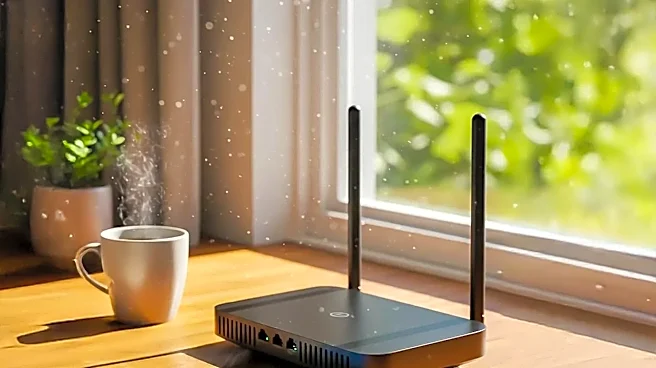
The traditional router is the classic solution: a single, powerful box designed to be the central hub of your digital life. High-end models are packed with impressive hardware, multiple antennas, and advanced features like MU-MIMO, which lets the router talk to multiple devices at once. For a smaller home or apartment, even one with a high device count, a top-tier traditional router can be a beast. Its main advantage is concentrated power. If most of your high-demand devices (like a gaming console or work computer) are in the same room as the router, it can deliver incredibly fast, low-latency performance. Think of it as a brilliant soloist—unbeatable in its sweet spot, but its influence fades with distance.
Where a Single Router Starts to Falter
The Achilles' heel of a traditional router is physics. Wi-Fi signals get weaker as they travel and struggle to pass through walls, floors, and other obstructions. In a large or multi-story home, this creates dead zones where the signal is slow or non-existent. With 50+ devices scattered throughout that home, the problem multiplies. A smart camera in the garage and a smart TV in the basement are all competing for a weak signal from a distant router. Even powerful routers can become a bottleneck, as they can only handle so many simultaneous connections before performance degrades for everyone. Some high-end routers can handle over 50 devices, but their effectiveness drops sharply at the edges of your home.
Enter Mesh: The Promise of Teamwork
A mesh Wi-Fi system takes a different approach. Instead of one powerful router, it uses a team of smaller nodes placed around your home to create a single, unified network. One node acts as the main router, while the others serve as satellites, picking up the signal and extending it. As you move through your home, your device seamlessly hands off to the node with the strongest signal. The big promise is simple: eliminate dead zones and provide consistent coverage everywhere. For large homes or those with tricky layouts (like brick walls or multiple floors), mesh is designed to solve the coverage problem that a single router can't.
The Reality of Mesh Under Heavy Load
In theory, mesh sounds perfect for a device-heavy home. In practice, it introduces its own complexities. The biggest challenge is something called 'backhaul'—the way the satellite nodes talk back to the main router. On budget-friendly dual-band mesh systems, this backhaul traffic shares the same wireless lanes your devices use, which can create its own congestion and slow things down. More advanced (and expensive) tri-band or quad-band mesh systems solve this by dedicating an entire Wi-Fi band just for the nodes to communicate, like a private highway for the network itself. Furthermore, poor node placement can create weak links in the chain, causing instability even with full bars on your phone. Sometimes, a mesh network can simply hide underlying problems behind a strong signal, leading to confusing issues like lag spikes despite seemingly perfect coverage.
So, Which Is Right for Your 50+ Device Home?
For a large, multi-story home with devices spread far and wide, a quality mesh system is almost certainly the answer. Specifically, look for a tri-band (or newer) system with a dedicated backhaul to ensure the network can handle its own communication without slowing down your gadgets. Some systems even support a wired 'Ethernet backhaul', which connects the nodes with a physical cable for maximum stability and speed—the gold standard for performance. However, if you live in a smaller home or apartment (under 2,000 sq ft) and most of your devices are concentrated in a few rooms, a single, high-end traditional router with Wi-Fi 6E or Wi-Fi 7 might still be the better and more cost-effective choice. It provides raw power where you need it most without the potential complexities of wireless backhaul. The final decision isn't about which technology is 'better,' but which architecture best fits the size and layout of your home.