



The Color-Accurate Monitor: Your Window to Reality
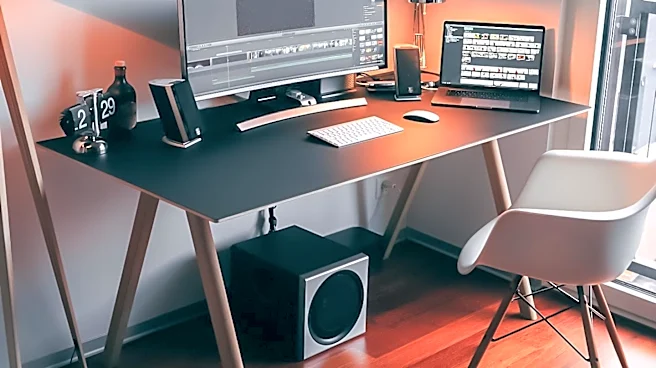
A video editor's monitor isn't just a screen; it's a reference tool. If your monitor displays colors inaccurately, you might spend hours perfecting a grade that looks vibrant in your edit bay, only to find it appears washed out or oversaturated on a client's
screen or a viewer's phone. This is where color accuracy comes in. A professional-grade monitor that covers a high percentage of color gamuts like sRGB and DCI-P3 ensures that what you see is what everyone else will see. It’s the difference between confident, precise color work and frustrating guesswork. Investing in a factory-calibrated or user-calibratable display is a foundational step that prevents costly revisions and ensures your creative vision translates correctly to the final product.
The High-Precision Mouse: Control in Every Click
Any mouse can point and click, but video editing demands more. A high-DPI (dots per inch) mouse offers greater sensitivity, allowing you to move the cursor across a large 4K timeline with minimal physical hand movement. This reduces fatigue during long sessions. More importantly, many professional editing mice feature adjustable DPI settings. This allows you to use a high setting for quickly navigating your interface and then switch to a lower DPI on the fly for precise tasks like trimming a clip by a single frame, making fine adjustments to an effect, or detailed mask work. An ergonomic design also reduces the risk of repetitive strain injury, a common ailment for editors. When paired with programmable buttons for common shortcuts, a quality mouse becomes a powerful tool for efficiency.
The Programmable Keyboard or Macro Pad: Shortcuts on Steroids
Experienced editors live by keyboard shortcuts, but a specialized keyboard or a dedicated macro pad takes this to the next level. These devices allow you to map complex, multi-step actions to a single key press. Imagine trimming a clip, applying your favorite transition, and color-labeling it with one button. That’s the power of a macro. A macro pad or an editing-specific keyboard can significantly reduce hand travel between the mouse and keyboard and streamline repetitive tasks. They often feature physical knobs or dials that provide intuitive, tactile control over timeline scrubbing, zooming, or adjusting audio levels—actions that can feel clunky with a mouse alone.
The Control Surface: Tactile Editing Power
For those heavily involved in color grading or audio mixing, a dedicated control surface can be a game-changer. These consoles, ranging from simple single-knob devices to complex panels with dozens of buttons and weighted jog wheels, provide a physical connection to your software. Instead of dragging a virtual slider with a mouse to adjust shadows, you turn a physical dial. This tactile feedback allows for faster, more intuitive, and more precise adjustments. Brands like Blackmagic Design make speed editors specifically for DaVinci Resolve that are designed to make editing on the cut page almost entirely keyboard-and-controller-driven. While once considered a luxury for high-end post-production houses, more affordable options have made them accessible to freelancers and enthusiasts, offering a massive leap in workflow efficiency.
Fast External Storage: The Unseen Bottleneck
While not a traditional peripheral you interact with directly, your storage solution is a critical component of your editing experience. Editing high-resolution 4K or 6K footage directly from a slow external hard drive or your computer's internal drive can cause playback stutter, dropped frames, and sluggish performance. This is where high-speed external SSDs (Solid State Drives) using Thunderbolt or USB4 connections come in. By keeping your project files and media cache on a dedicated fast drive, you ensure your system can read and write data quickly enough to keep up with demanding timelines. This eliminates one of the most common performance bottlenecks and keeps you in the creative flow instead of waiting for your computer to catch up.