






iPhone OS 1: The Touchscreen Blueprint
When the first iPhone launched in 2007, its operating system didn't even have a formal name. It was simply 'iPhone OS'. Its revolutionary features were ones we now take for granted: a multi-touch interface, visual voicemail, and a mobile web browser that
could render full websites. It was a closed system with no third-party apps. But it established the core concept: a computer that you could touch. It wasn't about what it could do on day one, but the foundation it laid. It proved that the primary way we interact with a personal computer didn't have to be a keyboard and mouse.
iPhone OS 2: The App Store Economy is Born
If the first version was the blueprint, the second, released in 2008, was the big bang. The introduction of the App Store was arguably the single most important event in mobile computing history. Starting with just 500 apps, it created a centralized, secure, and simple way for users to discover and download software. This 'democratized' software development, allowing anyone from a large company to a solo developer to reach a massive audience. It ignited the app economy, which has since generated trillions in commerce, and cemented the iconic phrase, 'There's an app for that'. Computing was no longer just about big programs on a PC; it was now about a million small utilities in your pocket.
iOS 4: Finally, True Multitasking
For its first few years, the iPhone could really only do one thing at a time. Closing an app meant stopping it completely. With iOS 4 in 2010 (the first to be called 'iOS' after the iPad's launch), Apple introduced a limited but crucial form of multitasking. Now, you could listen to music while browsing the web or have a VoIP call running in the background. This was a pivotal step in transforming the iPhone from a collection of single-use apps into a true, multi-purpose computing device. It was the moment the smartphone started to feel less like a phone and more like the hub of our digital lives, capable of juggling the different threads of our attention just like a desktop could.
iOS 5: Cutting the Cord with iCloud & Siri
Until 2011, the iPhone was a satellite to the Mac or PC. It needed to be plugged in to activate, back up, and sync content. iOS 5 severed that digital umbilical cord with the introduction of iCloud. Suddenly, your photos, contacts, and documents were just... there, on all your devices, synced wirelessly. This version also introduced Siri, which, despite a quirky start, mainstreamed the idea of a voice-controlled personal assistant. It was a profound shift. Your digital life was no longer anchored to a single box in your home or office; it lived in the cloud, accessible anywhere, and you could talk to it.
iOS 7: The Great Flat Design Overhaul
For years, digital interfaces tried to look like real-world objects—a concept called skeuomorphism. The notepad app had yellow lined paper, the bookshelf app was made of faux wood. iOS 7, in 2013, threw all of that out. Led by design chief Jony Ive, Apple introduced a 'flat' design, with clean lines, simple icons, and layers of translucency. The change was polarizing, but its influence was undeniable. It signaled that users no longer needed physical-world metaphors to understand a digital interface. This minimalist aesthetic swept across the entire tech industry, defining the look and feel of software for the next decade and proving that iOS didn't just shape what computers did, but how they looked.
iOS 14 & Beyond: The Personalized, Intelligent OS
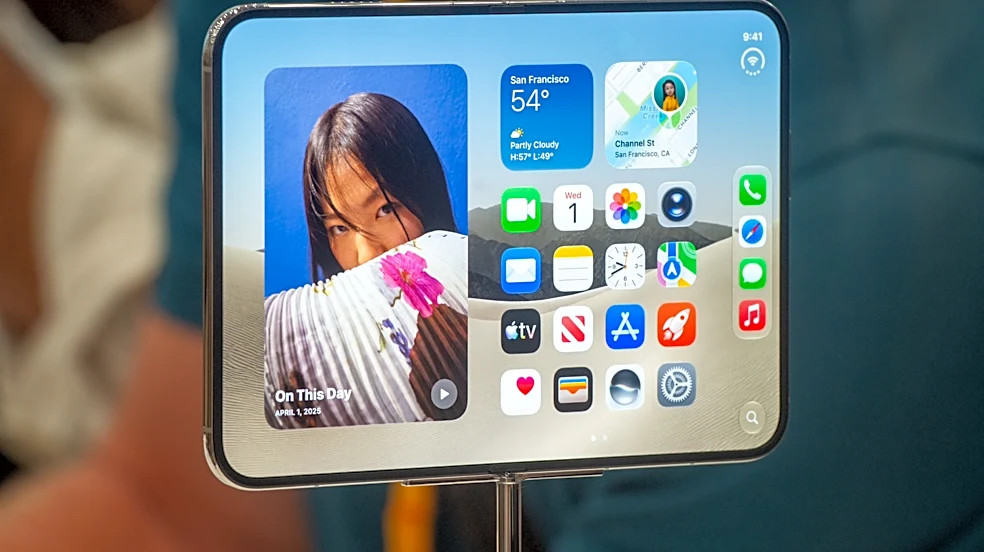
Later versions of iOS focused on making the operating system more personal and intelligent. iOS 14 brought the most significant change to the home screen in years, with customizable widgets and an App Library. This marked a major philosophical shift, giving users more control over their device's layout. More recently, the deep integration of AI with features like Apple Intelligence and a more capable Siri shows the next frontier. The OS is no longer just a passive platform for apps; it's an active participant, learning user context to provide information and take action across different apps, turning the device into a truly personal assistant.