






The Plug-and-Play Promise
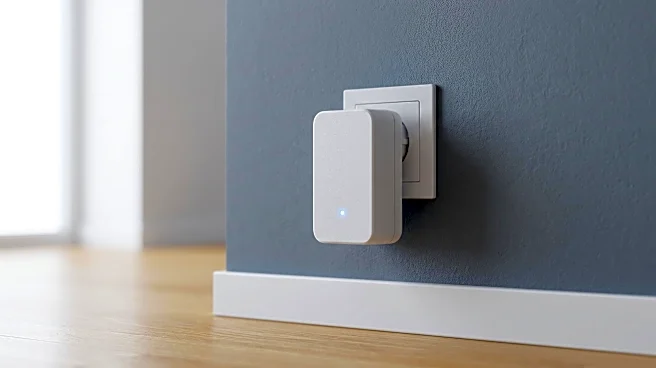
Powerline networking adapters seem like magic. You plug one into an outlet near your router and connect it with an Ethernet cable. Then, you plug a second adapter into any other outlet in your home to create an instant, wired internet jack. No drilling
holes, no snaking 50-foot cables along the baseboards. It promises the stability of a wired connection using the wiring you already have. For gamers, streamers, or anyone working from a Wi-Fi dead zone, it sounds like the perfect, hassle-free solution. The marketing often boasts incredible speeds, sometimes up to 2,000 Mbps. But as many frustrated users discover, the real-world performance often tells a very different, much slower story.
The 1,000 Square Foot Misconception
Here’s where it gets confusing, especially in a smaller home or apartment around 1,000 square feet. You'd assume that with outlets being relatively close, you should get fantastic performance. Yet, you can have two adapters just 30 feet apart that deliver dial-up-like speeds. This is because Powerline performance has almost nothing to do with the straight-line distance between outlets. It's all about the length and quality of the electrical wire the signal has to travel through. Two outlets that are close but on opposite ends of a complex wiring path might as well be miles apart from the adapter's perspective. The size of your space is a distraction; the real map is the one hidden in your walls.
The Hidden Detail: Your Circuit Breaker Panel
This is the secret most people—and even some marketing materials—skip over. For optimal performance, both Powerline adapters need to be on the same electrical circuit. Most homes have multiple circuits originating from the main breaker panel, with different rooms or even different walls in the same room powered separately. If your router is plugged into the living room circuit, but your office is on the bedroom circuit, the signal can't travel directly. Instead, it has to make a long, inefficient journey down to the breaker box and then back up the other circuit. This trip degrades the signal significantly, leading to massive speed loss or a connection that drops constantly. Some modern circuit breakers, particularly AFCI types, can also filter and weaken the signal, making the problem even worse.
Your Home's 'Electrical Noise' Problem
Even if your adapters are on the same circuit, another gremlin can sabotage your network: electrical interference, or "noise." This isn't something you can hear; it's electrical pollution on your home's wiring. The culprits are often not what you’d expect. While large appliances like washers or air conditioners can cause issues, the biggest offenders are often small electronics with cheap switching power supplies. Think phone chargers, laptop power bricks, and even light dimmers. These devices flood the electrical lines with interference that can disrupt the high-frequency data signals from your Powerline adapters. Plugging an adapter into a surge protector or power strip is another common mistake, as these often have built-in filtering that chokes the network signal.
How to Diagnose and Improve Your Setup
So, how do you fix it? First, identify your circuits. Your breaker panel should have labels indicating which rooms are on which circuit. Try moving the remote adapter to different outlets to find one on the same circuit as the main adapter. Second, hunt for noise. If your connection tanks at certain times, think about what just turned on. A microwave? A vacuum? Try unplugging nearby chargers and appliances one by one to see if your speed improves. If you must plug other devices in near the adapter, invest in a Powerline model with a "pass-through" socket. These are designed to filter noise from the device plugged into them, preserving your network's integrity.