







Surprise 1: Your Wrist Stops Moving, But Your Thumb Starts Talking
The number one reason people try a trackball is ergonomics. The promise is simple: stop the repetitive arm and wrist movements that can lead to strain. A trackball stays put, and your hand rests on it while your fingers or thumb do the work. The surprise
isn't that it works—it often does, reducing shoulder and wrist fatigue. The surprise is the trade-off. For thumb-operated trackballs, which are most common, your thumb is suddenly responsible for every pixel of cursor movement. This can lead to a new, localized fatigue as your thumb muscles adapt to a job they've never had before. While many users adjust in about a week, that initial period can feel awkward.
Surprise 2: You Suddenly Have a Ton of Desk Space
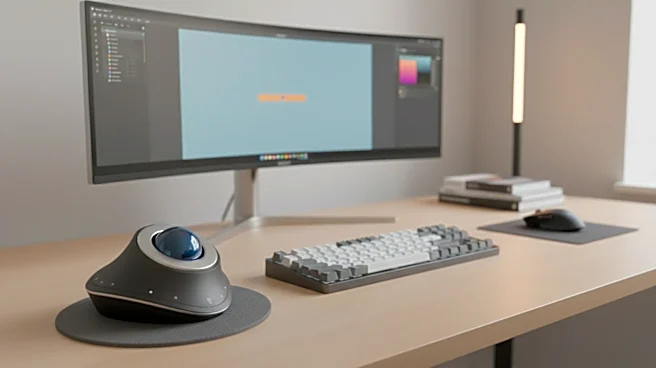
Mouse users are conditioned to subconsciously clear a landing strip for their device. You need room to sweep, lift, and reposition. The first 'a-ha' moment for a new trackball user is realizing none of that is necessary. The device's footprint is its entire domain. This is surprisingly liberating, especially for those with small or cluttered desks. You can tuck it into a tight corner next to your keyboard, and it works just as well. It also works on virtually any surface—your lap, a couch armrest, it doesn't matter—because the device itself never moves.
Surprise 3: The Clumsiness Gives Way to Extreme Precision
The first few days with a trackball can feel like trying to write with your non-dominant hand. Overshooting your target is common, and simple tasks feel clumsy. The surprise is what happens after your brain rewires itself. Many users find that trackballs ultimately offer superior precision, particularly for fine-grained tasks like editing a photo or selecting a specific cell in a huge spreadsheet. By separating the act of moving from the act of clicking, you can make micro-adjustments with your thumb or fingers with a level of control that can be harder to achieve when your whole hand is in motion. That initial frustration often transforms into a feeling of more direct and nuanced control.
Surprise 4: Gaming Isn't a Total Lost Cause
The conventional wisdom is that trackballs are terrible for gaming. For fast-twitch, competitive first-person shooters that rely on rapid 'flick' movements, a traditional gaming mouse generally has the edge. The surprise, however, is that trackballs are perfectly competent for a wide range of other genres. For strategy games, RPGs, and titles that benefit from precision over pure speed, a trackball can be a comfortable and effective tool. The biggest hurdle isn't the hardware's capability, but a gamer's muscle memory. Some dedicated trackball gamers even become adept at 'throwing' the cursor across the screen by spinning the ball, achieving high speeds with practice.
Surprise 5: 'A Trackball' Isn't One Thing
Most first-time users assume a trackball is a trackball. But the biggest fork in the road is discovering the two main camps: thumb-operated and finger-operated. Thumb-operated models look more like a traditional mouse, making the transition feel more familiar. Finger-operated trackballs place a large ball in the center, which you control with your index and middle fingers. Devotees of finger-balls often claim they offer even greater precision and ergonomic benefit, though the learning curve can be steeper. This choice isn't trivial; it fundamentally changes the user experience, and many people have a strong preference for one over the other.