




Stepping into the world of high-end productivity gear can feel overwhelming. For many, Logitech's specialized lineup offers a surprising level of refinement that goes far beyond basic office supplies.
The Shift from Utility to Experience
Most people approach computer peripherals with a 'it
just needs to work' mindset. You buy a mouse to move a cursor and a keyboard to hit keys. However, the surprise for first-time users of premium Logitech gear often lies in the tactile experience. It is not just about functionality; it is about how the device feels during an eight-hour workday. When you move from a generic plastic mouse to something like the MX Master 4, the difference is immediate. It is the difference between a tool that performs a task and a tool that enhances your workflow through subtle, intentional design choices.
The Magic of Quiet Precision
One of the most unexpected revelations for users transitioning to the MX Master 4 series is the emphasis on acoustic comfort. In a modern open office or a shared home workspace, the 'click-clack' of cheap peripherals can become a source of friction. The MX Master 4 introduces Quiet Clicks, a feature that provides the satisfying tactile response of a button press without the jarring noise. This level of consideration for the environment around the user is a hallmark of high-end productivity gear. Furthermore, the addition of customizable haptic feedback—providing subtle vibrations for scrolling and navigation—turns a simple mechanical action into a sensory experience that helps users feel more connected to their digital tasks.
Solving the Multi-Device Puzzle
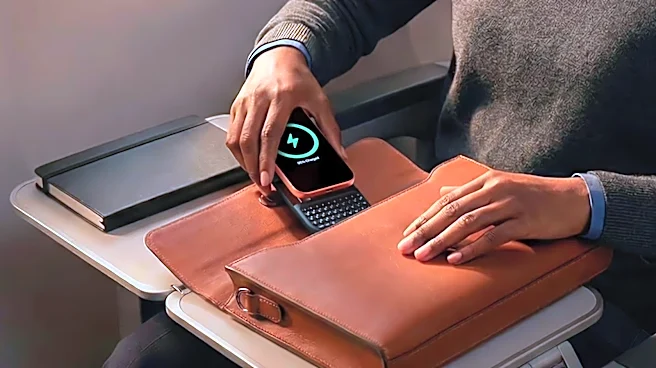
The modern professional rarely works on just one screen. We jump from a desktop to a laptop, then glance at a smartphone to check a notification. This constant context-switching is where many users find the most value in Logitech's ecosystem. The K780 keyboard, for instance, is designed specifically for those who treat their phone and tablet as integral parts of their desk setup. Instead of hunting for a place to prop up a mobile device, the integrated cradle keeps smaller screens at the perfect viewing angle. This physical integration, combined with Easy-Switch technology that allows for seamless typing across three different devices, solves a logistical headache that most standard peripherals simply ignore.
Customization as a Core Feature
For a first-time user, the realization that a mouse or keyboard can be 'reprogrammed' is often a lightbulb moment. Using software like Logi Options+, users can transform standard buttons into powerful shortcuts. On the MX Master 4, a side button can be assigned to show all open desktops, or a thumb button can trigger a new Action Ring for rapid navigation. This moves the device from being a passive input tool to an active participant in the user's specific workflow. It is this ability to tailor the hardware to the individual's unique habits that often leads to the 'surprise' factor: the realization that the tool can actually adapt to the person, rather than forcing the person to adapt to the tool.