







When you hear 'drawing tablet,' you probably picture a graphic designer or digital artist. But for a growing number of small businesses, these versatile devices are becoming secret weapons for productivity, surprising even the owners who buy them.
Meetings Become Dynamic Brainstorms
Forget
static PowerPoint slides. A drawing tablet transforms video calls and in-person meetings into collaborative sessions. Paired with digital whiteboard apps like Miro or Limnu, you can sketch out ideas, create flowcharts, and annotate documents in real time. This makes brainstorming more natural and engaging than awkwardly trying to draw with a mouse. For remote or hybrid teams, it’s a game-changer, allowing everyone to contribute to a shared visual space as if they were in the same room.
Document Review Is Faster and Clearer
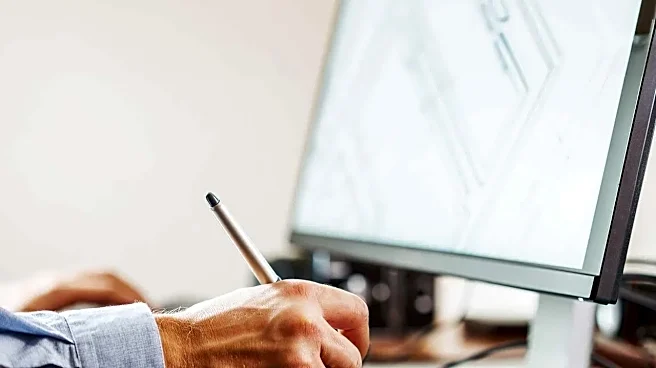
Providing feedback on documents, proposals, or designs can be clumsy. Typing comments in the margins of a PDF often fails to convey the exact meaning. With a pen, you can mark up documents intuitively—circling paragraphs, underlining key points, and jotting notes just as you would on paper. This method is not only faster but also adds a layer of clarity and personal touch that typed comments lack, reducing miscommunication and speeding up revision cycles.
Client Communication Feels More Personal
In a digital world, a personal touch stands out. Drawing tablets make it simple to go beyond generic emails. You can add a handwritten signature to digital contracts for a more authentic sign-off. Or, when explaining a complex idea to a client, you can quickly sketch a diagram during a video call to illustrate your point visually. A short, handwritten 'thank you' note on an invoice or a quick, hand-drawn map for a service location can elevate the client experience in a memorable way.
In-House Marketing Gets a Professional Polish
Not every small business can afford a full time designer. For basic marketing tasks like editing product photos, creating simple social media graphics, or touching up headshots, a drawing tablet offers far more precision than a mouse. The pressure sensitivity of the pen allows for subtle, controlled adjustments in photo editing software, making tasks like masking, color correction, and retouching significantly easier and yielding more professional results. This empowers businesses to handle more creative work in house without sacrificing quality.
It’s a Surprise Win for Ergonomics
An oftenoverlooked benefit is comfort. Spending all day clicking and dragging a mouse can lead to wrist and hand strain. Holding a lightweight, ergonomic pen can feel much more natural for many tasks. While it is not a medical cureall, many users find that alternating between a mouse and a tablet pen for different activities reduces the repetitive stress on their wrist, making long hours at the computer more comfortable. This small change can make a big difference in dayto day work comfort.