






The Desk Cleanup Is More Satisfying Than You Think
The most obvious benefit of a KVM switch is getting rid of a second keyboard and mouse. But the first surprise is the profound sense of calm that a decluttered desk provides. It’s not just about saving space; it's about creating a single, unified command
center. Instead of mentally context-switching between two separate physical setups, your brain stays locked in. Your muscle memory for your favorite keyboard and mouse applies to every task, whether you're building a spreadsheet for work or loading into a game on your personal rig. This seamless transition is more than just convenient—it can genuinely make you feel more organized and productive by removing physical friction from your workflow.
You Get What You Pay For—Especially with Performance
A cheap KVM switch might seem like a bargain, but this is where many first-time users get a rude awakening. Cheaper models can introduce perceptible input lag, cause your screen to flicker, or struggle with high-resolution, high-refresh-rate monitors. If you're a gamer, that delay can be the difference between a win and a loss. For creative professionals, it can mean inaccurate color representation or a stuttering video feed. Higher-end KVM switches invest in better internal components to ensure signal integrity. This means they reliably support features like 4K resolution at 144Hz, which is crucial for modern gaming and design work. They also often include a feature called EDID emulation, which prevents your computers from reorganizing their desktops every time you switch back and forth.
You Suddenly Have a New Hobby: Cable Management
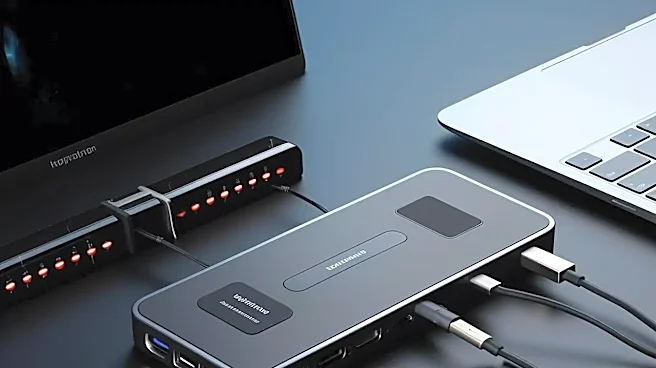
While a KVM switch cleans up the top of your desk, it creates a new challenge underneath: a rat's nest of cables. Each computer needs at least one video cable and one USB cable running to the switch, and the switch itself has cables going out to your monitor and peripherals. A setup for two computers and one monitor can easily involve six or more cables converging on a single small box. Add in power adapters for the KVM itself, and things get messy fast. The surprise isn't just that there are a lot of cables, but that organizing them becomes a necessity for a stable setup. Poorly routed or low-quality cables can cause signal degradation, so you’ll find yourself investing in Velcro ties and cable sleeves to keep everything tidy and functional.
Not All Your Gadgets Will Play Nicely
You might assume any USB device will work through a KVM switch, but that’s a dangerous assumption. Many KVMs have specific 'HID' ports designed only for basic keyboards and mice. Plugging your fancy gaming keyboard with RGB lighting, your high-resolution webcam, or a wireless mouse receiver into these ports may cause them to drop connection or not work at all. These more complex devices often require a full-speed USB port (like USB 3.0) and can have trouble when the connection is repeatedly renegotiated during switching. The solution often involves careful port management—reserving HID ports for simple devices and using general-purpose USB ports for everything else—or accepting that some peripherals, like webcams or audio interfaces, may still need to be plugged directly into the computer.
The 'Switch' Itself Is a Bigger Deal Than You'd Think
The physical act of switching is a key part of the experience. The most basic KVMs have a button on the unit itself, which can be inconvenient if the box is tucked away behind your monitor. Many models offer a small, wired remote button that you can place anywhere on your desk for easy access. More advanced switches support keyboard hotkeys, allowing you to switch between computers by pressing a key combination like 'Scroll Lock, Scroll Lock, 1.' While this sounds great, it can sometimes conflict with software or games that use the same keybindings. The surprise is discovering which method you prefer and realizing that this small detail has a big impact on your daily user experience.
Monitors Are Now Getting in on the Action
One of the latest trends surprising home users is the rise of monitors with built-in KVM functionality. Instead of buying a separate box, the switch is integrated directly into the display. You plug both your computers and your peripherals into the monitor itself, and switch inputs using the monitor's on-screen menu. These are often powered by USB-C or Thunderbolt, allowing a single cable to handle video, data, and even charge your laptop. For users with a compatible laptop and desktop, this can be the cleanest solution of all, eliminating the need for an external KVM box and its associated cable clutter entirely. It’s a game-changer that simplifies the entire concept for a new generation of hybrid workers.