







The Instrument, Not the Accessory
Think of it this way: a master chef doesn't use a flimsy, dull knife. A concert violinist doesn't play a student model. For any professional whose work flows through their hands, the tool defines the work. For creatives, the keyboard is that tool. Yet
it’s often the last peripheral to get a serious upgrade, an afterthought to the powerful processor or the high-resolution monitor. This is a fundamental mistake. A cheap, mushy-feeling membrane keyboard that comes bundled with a desktop is designed for occasional use, not for the eight-hour days of intense creation. It’s a tool of compromise, built to hit a price point, not to enhance performance. For a creative professional, this is like trying to paint a masterpiece with a hardware-store brush. It works, but the friction you feel—the missed keystrokes, the hand fatigue, the unsatisfying response—is a constant, low-level drain on your creative energy and physical well-being.
The Feel Factor: Tactility and Flow
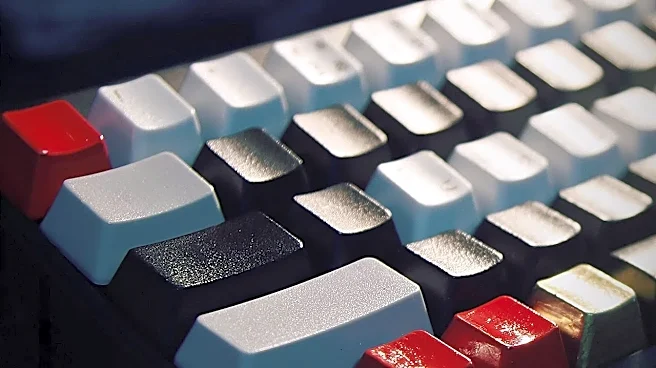
The most significant upgrade comes from switching from a standard membrane keyboard to a mechanical one. Unlike membrane boards that rely on a single rubber sheet, mechanical keyboards have individual switches under each key. This design provides distinct tactile feedback—a small bump or a click—that confirms when a key has registered. This isn't just a matter of preference; it has a direct impact on performance. The clear feedback can lead to improved typing accuracy, as you're less likely to miss a letter or press one twice. While it may not dramatically increase your raw words-per-minute, the reduction in errors means less time spent backspacing and more time in a state of creative flow. The physical sensation of typing becomes rhythmic and satisfying, which can make the act of writing or coding itself more enjoyable and less of a chore. The key switches don't require you to press them all the way down to actuate, which can reduce finger fatigue over long sessions.
Ergonomics Isn't a Luxury, It's a Career Extender
Creative work often means long, uninterrupted hours at a desk. Over years, this can lead to repetitive strain injuries (RSI) like carpal tunnel syndrome, which can be debilitating for someone who relies on their hands. This is where ergonomic keyboards come in. Often featuring split or curved layouts, they position your hands, wrists, and forearms in a more natural, neutral posture. By reducing the inward angle of your wrists, these designs can significantly decrease muscle strain. While some ergonomic designs look intimidating, many are intuitive and designed to work with how your hands already move, requiring little to no time to relearn typing. Investing in an ergonomic keyboard isn't about coddling yourself; it's a long-term investment in your health and the sustainability of your career. Preventing pain and discomfort allows you to work more comfortably for longer, maintaining focus and productivity without your body becoming the limiting factor.
Customization: A Shortcut to Efficiency
Modern creative work is a dance between dozens of complex software shortcuts. For video editors, graphic designers, and programmers, the ability to execute multi-step commands instantly is a superpower. This is where customizable keyboards shine. Many premium and mechanical keyboards allow you to program keys with macros—custom sequences of commands that can be triggered with a single keystroke. Imagine executing a complex Photoshop action, compiling code, or applying a common video effect with one button press instead of navigating menus or remembering awkward key combinations. Some creator-focused keyboards even include programmable dials and modular pads that can be configured for tasks like adjusting brush sizes, scrubbing through a timeline, or controlling volume and brightness. This level of customization transforms the keyboard from a simple input device into a personalized command center, tailored specifically to your workflow and shaving off countless tiny moments of friction that add up over a workday.