






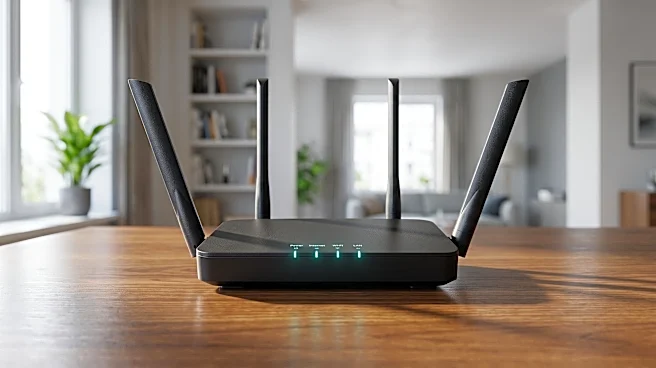

Black Friday promises massive savings on high-tech gear, but a slashed price tag on a router doesn't always mean a smart buy. To avoid buying yesterday's tech, you need to look past the discount.
1. The Wi-Fi Standard
The most important spec is the generation of Wi-Fi technology.
We are currently in the era of Wi-Fi 7, which offers massive improvements in speed and efficiency. While Wi-Fi 6 is still perfectly functional, buying a Wi-Fi 6 router at a high premium during Black Friday might be a mistake if Wi-Fi 7 models are sitting right next to it at a similar price point. Always check if the device supports the latest standard to future-proof your home.
2. Band Count: Dual vs. Tri vs. Quad
Don't let a low price fool you; it might be because the router is dual-band. A dual-band router only uses the 2.4GHz and 5GHz frequencies. A tri-band or quad-band router adds the 6GHz band, which is the crown jewel of Wi-Fi 7. This extra lane reduces congestion significantly. If you have a house full of smart devices, a tri-band or quad-band system is often worth the extra investment to prevent your Netflix stream from stuttering while someone else is gaming.
3. WAN and LAN Port Speeds
A router is only as fast as its physical connections. If you pay for a multi-gigabit internet plan (anything over 1Gbps), a router with only 1Gbps Ethernet ports will act as a bottleneck, effectively wasting the money you pay your ISP every month. Look for routers that feature 2.5Gbps or even 10Gbps ports to ensure your wired and wireless speeds can actually reach the potential of your internet subscription.
4. Total Throughput vs. Real-World Speed
You will see massive numbers like BE30000 or BE9300 on the boxes. These are theoretical combined capacities of all bands working at once. They do not represent the speed a single laptop or smartphone will actually achieve. A good deal is one where the individual band speeds are high enough to support your most demanding devices, rather than just having a high aggregate number that looks impressive on a sticker.
5. Coverage Area and Mesh Capability
Manufacturers provide square footage estimates, but these are based on ideal conditions. If you live in a home with thick walls or multiple floors, a single powerful router might not be enough. In these cases, look for mesh systems. A good mesh deal provides multiple nodes that can communicate effectively with each other, often using a dedicated wireless backhaul to keep speeds high between the units.
6. Number of Ethernet Ports
Wireless is great, but nothing beats a wire for gaming or home office stability. Check how many LAN ports are on the back. Some budget models might only offer one or two, which forces you to buy an extra switch. A solid deal includes enough ports to connect your primary console, PC, and smart home hub directly to the router.
7. Security Protocols
Security isn't an optional add-on; it's a necessity. Ensure the router supports WPA3, the latest security standard. Some budget brands might try to upsell you on 'advanced security' through monthly subscriptions. While some extra features are nice, you shouldn't have to pay a monthly fee just to keep your basic network protected from intruders.
8. Multi-Link Operation (MLO)
Specific to the newer Wi-Fi 7 era, MLO allows a device to send and receive data across multiple bands simultaneously. This is a game-changer for reducing latency. If you are a gamer or someone who does a lot of high-definition video conferencing, seeing MLO support in the specs is a sign of a truly modern, high-quality router.
9. Quality of Service (QoS) Features
QoS allows you to prioritize certain types of traffic. If you want to make sure your work Zoom call doesn't drop because a teenager is downloading a massive game update, you need a router with robust QoS settings. This feature helps manage the 'traffic jams' that happen when too many devices compete for bandwidth at once.
10. Firmware and Support Longevity
A router is a long-term investment. A 'bad' deal is a cheap router from a brand that has a history of abandoning its products after a year, leaving them vulnerable to security threats. Look for brands that promise regular firmware updates and long-term support so your hardware doesn't become obsolete or unsafe within a few years.