






The Ritual: Chasing a High Score
We’ve all done it. The internet feels sluggish, so you pull up a speed test website, hit 'GO', and watch the needle jump. When it lands on a number close to what you pay for, you feel a sense of relief. When it doesn't, you might feel cheated. This single
test, often performed while standing right next to the router, has become the universal benchmark for a "good" connection. This approach measures the absolute best-case scenario—the maximum speed your plan delivers under ideal conditions. It's like measuring a car's top speed on a perfect, empty racetrack. It’s an impressive number, but it tells you almost nothing about how that car will perform in rush-hour traffic or on a winding, hilly road. For your home Wi-Fi, the equivalent of traffic and hills is every wall, floor, and appliance between you and your router.
The Hidden Detail: Consistency Over Peak Speed
Here's the secret that gets lost in the obsession over a single, massive number: the most important metric for user experience isn't peak speed, it's signal consistency. A network engineer’s real goal isn’t to deliver 800 Mbps to the one spot you stand in to run a test; it's to deliver a reliable, usable signal to every corner of your home where you actually need it. What good is a lightning-fast connection in the living room if your laptop gets a weak, unstable signal in the bedroom office? This is where concepts like signal strength (measured in dBm), latency (ping), and jitter become far more important. Signal strength dictates how robust your connection is, while low latency and jitter ensure that real-time activities like video calls and gaming are smooth and responsive, even if the raw download speed is lower.
Why 2,000 Sq. Ft. Is a Deceptive Challenge
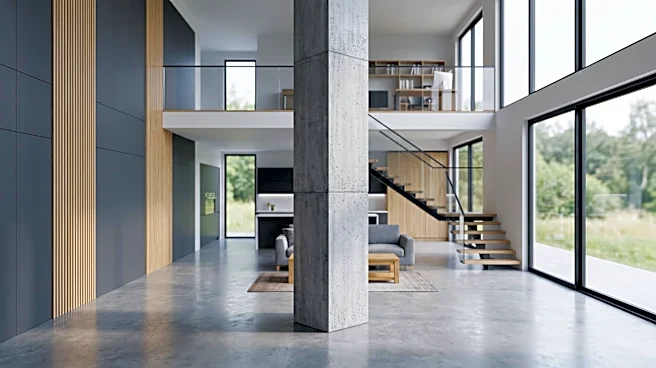
A 2,000-square-foot home is a tricky middle ground for Wi-Fi. It’s large enough that a single router, even a powerful one, will struggle to cover the entire area effectively. Wi-Fi signals, particularly the faster 5 GHz band, are weakened by physical obstructions. Drywall and wood cause minor drops, but materials like brick, concrete, plaster, and even metal studs in walls can severely degrade or reflect the signal. In a multi-story home, the signal has to penetrate floors, which adds another layer of difficulty. This results in dead zones or areas with frustratingly weak connections. Yet, the space isn't so massive that homeowners automatically assume they need a complex, multi-point solution. They expect one router to do it all, leading to a constant battle with inconsistent performance.
How to Actually 'Test' Your Home Wi-Fi
To get a true understanding of your home network's performance, you need to abandon the single-point test. Instead, think like an engineer mapping out a space. Take your smartphone or laptop and run speed tests in the key areas where you use the internet: your home office, the living room couch, the kitchen, and each bedroom. Don't just look at the download speed. Note the upload speed and the ping time. Is the ping dramatically higher in the back bedroom? Is the upload speed less than 5 Mbps in the office, making video calls choppy? Some internet service providers even have apps that can help test your network throughout the home. This multi-point data tells a much more useful story. A log of these results gives you a real-world map of your network's health, showing you that the problem might not be your internet provider, but rather the need for a better-placed router, a Wi-Fi extender, or a modern mesh system designed to blanket your entire home in a consistent signal.