







The Default Setting You Need to Know
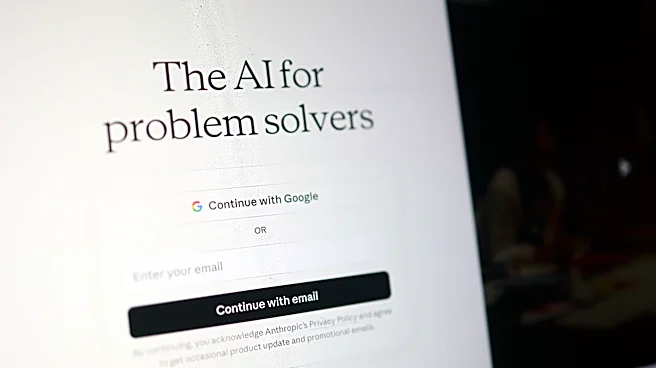
When you upload your resume or paste its contents into a consumer version of Claude (like the Free, Pro, or Max plans), a critical process begins. It's not just about the AI generating a response; it's about what the company does with your data afterward.
Following a policy change in 2025, Anthropic may use the content from consumer accounts to train its future AI models. The most important detail is that this is an 'opt-out' system, meaning your data is used for training by default unless you manually go into your privacy settings and turn it off. This policy is fundamentally different for commercial plans like Claude for Work, Enterprise, or its API, where user data is not used for training. For the everyday job seeker using a personal account, the distinction is vital.
What's in a Resume? A Lot of Sensitive Data
A resume is one of the most data-rich documents you own. It’s not just a list of jobs; it's a bundle of personally identifiable information (PII). Think about what's included: your full name, phone number, email address, home address, and a detailed chronological history of your professional life. It can also contain links to your personal website or social media profiles. When you upload this document, you are handing over a comprehensive personal profile. Unlike a generic prompt asking for writing advice, a resume provides a detailed map of your identity, career path, and contact information, all of which could be stored and potentially used to train the next generation of AI models if you haven't opted out.
Reading the Fine Print: Data Retention
The choice you make about model training has a direct impact on how long your data is kept. If you allow Anthropic to use your conversations for training on a consumer account, your data can be retained in a de-identified form for up to five years. However, if you opt out of model training, the retention period shortens significantly to just 30 days. It’s also important to know that even if you delete a chat, any feedback you provided using the thumbs-up or thumbs-down feature can be stored for up to five years. Furthermore, any conversations flagged for safety or policy violations may also be kept for longer periods to help improve the platform's safety systems.
How to Protect Your Privacy
The good news is that you have control. The single most effective step is to adjust your privacy settings. Log into your Claude.ai account, navigate to 'Settings', then 'Privacy', and turn off the toggle for 'Help Improve our AI models'. This prevents your future and past conversations from being used for new model training. For an extra layer of protection, consider 'scrubbing' your resume before uploading it. Create a version that removes your name, address, phone number, and email. You can use placeholders like '[Your Name]' and '[Contact Info]'. This allows you to get feedback on the structure and content of your resume without exposing your core personal data. Finally, you have the right to delete your chats and, ultimately, your entire account, which permanently removes your data from their active systems according to their retention schedules.