










Physics 101: Wi-Fi Isn't Magic
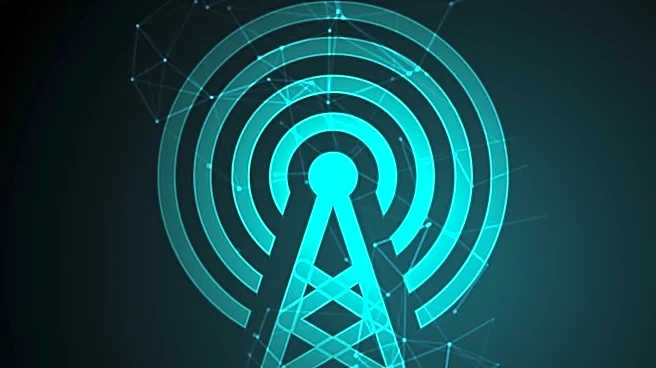
The first thing to understand is that Wi-Fi signals are radio waves, and they don't travel in a straight line forever. They spread out from your router in all directions, weakening with distance. This is why ISPs always stress a central location for your router.
Tucking it in a basement corner or at the far end of the house means a huge portion of its signal is wasted on outside walls or the foundation. Think of your router like a lightbulb in the middle of your home; the farther you get from it, and the more obstacles in the way, the dimmer the light becomes. For a 2,000-square-foot space, a single point of origin is already being stretched thin, especially if it’s not placed optimally.
Your Walls Are Wi-Fi Killers
Not all walls are created equal. The very materials that make your home sturdy can be brutal on a Wi-Fi signal. While standard drywall is relatively easy for radio waves to pass through, other materials act like sponges or mirrors. Brick, stone, and especially concrete can absorb and scatter signals, causing significant drops in performance. Metal is even worse; it reflects Wi-Fi signals, which can create interference and dead zones. This isn't just about structural beams; metal studs, HVAC ducts, and even a large refrigerator can disrupt the signal path. A 2,000-square-foot home often has more of these signal-blocking materials and interior walls than a small apartment, which is a key reason a single router struggles.
The Invisible Traffic Jam
Your Wi-Fi network isn't operating in a vacuum. It shares the airwaves with a host of other devices. Microwaves, cordless phones, baby monitors, and even your neighbors' Wi-Fi networks all compete for the same radio frequencies. A modern household is also full of devices demanding bandwidth—phones, laptops, smart TVs, security cameras, and gaming consoles. Older routers, especially the basic models ISPs often provide, can get overwhelmed trying to manage all this traffic at once, leading to slowdowns for everyone. This is why ISP recommendations sometimes involve upgrading equipment; they know the number of connected devices per household has skyrocketed.
The ISP's Business Model
Now for the part that isn't about physics. When an ISP recommends you rent their specific router or gateway, there's a business calculation involved. First, the monthly rental fee is a steady, predictable source of revenue. Second, providing standardized equipment makes their customer support job much easier. When you have a problem, they know the exact hardware and software they're dealing with. It simplifies troubleshooting and reduces the length of support calls. It's a strategy to control the user experience from end to end, which can be good for less tech-savvy customers but often means you're not getting the most powerful hardware on the market.
Why 'Mesh' Became the Go-To Solution
Given all these challenges, a new recommendation has become standard for homes over 2,000 square feet: a mesh Wi-Fi system. Instead of one router trying to cover the whole house, a mesh system uses multiple access points (called nodes) placed around your home. These nodes talk to each other to create a single, unified network that blankets the entire space, eliminating dead zones. As you move through the house, your device is seamlessly handed off to the node with the strongest signal. This approach directly solves the problems of distance, wall interference, and device congestion, providing the kind of consistent coverage a single router simply can't in a larger, more complex home layout.