








The Unseen Enemy: Your Laptop's Fan
The single most overlooked factor in a podcasting laptop is not its speed, but its sound. You can have the most powerful processor on the market, but if it requires a fan that sounds like a miniature jet engine to stay cool, your recordings will suffer.
That low, constant whir from a computer fan is notoriously difficult to remove from audio without degrading the quality of your voice. Many consumer-grade laptops are designed to cool themselves aggressively, especially under the load of recording software. Laptops built or ranked for audio production, however, prioritize efficient and quiet cooling systems. They are engineered to handle the sustained workload of a digital audio workstation (DAW) without needing to spin up their fans to audible levels. Choosing a machine known for its silent operation means you spend less time in post-production trying to surgically remove fan noise and more time perfecting your content.
Beyond Speed: The Need for RAM and Storage
When you’re editing a podcast, you're not just playing a single audio file. You’re often juggling multiple tracks: your voice, a co-host's track, intro and outro music, and sound effects. This is where RAM, or random-access memory, becomes critical. While 8GB of RAM is a functional baseline, 16GB is widely considered the sweet spot for smooth editing, allowing you to run your DAW, a browser, and other applications without stuttering or lag. If you plan on producing video podcasts, 32GB is an even safer bet. Equally important is your storage. Audio files are large, and a slow hard drive can make scrubbing through timelines a painfully sluggish experience. A Solid-State Drive (SSD) is non-negotiable. It allows for near-instantaneous loading of files and a much more responsive editing experience, ensuring your creative flow isn't interrupted by a spinning beach ball or loading icon.
The Dongle Nightmare: Why Ports Are Paramount
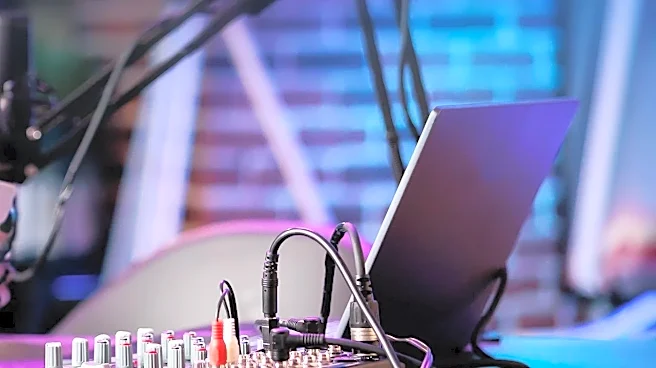
Modern ultrabooks often sacrifice ports for a slim profile, sometimes offering only one or two USB-C connections. For a podcaster, this is a recipe for frustration. Your setup will likely include a USB microphone or an audio interface, external hard drives for projects and backups, and headphones. Relying on a series of dongles and hubs not only creates clutter but can also introduce new points of failure. A laptop well-suited for podcasting will offer a generous selection of built-in ports. Look for at least two or three high-speed USB ports (ideally a mix of USB-A and USB-C/Thunderbolt) to connect your essential gear without needing a hub. This ensures stable connections and dedicated bandwidth for your critical recording equipment, like your audio interface, which is vital for low-latency monitoring and recording.
The Bigger Picture: Screen Real Estate
Editing audio on a tiny screen is a cramped and inefficient process. Your DAW's timeline, with its multiple tracks, waveforms, and plugin windows, requires ample screen real estate to be managed effectively. While a 13-inch laptop is portable, a 15-inch or larger display provides a much more comfortable and productive editing environment. It allows you to see more of your project at once, reducing the need for constant zooming and scrolling. Many podcasters who prefer a smaller laptop for portability end up needing to connect to an external monitor at home to edit efficiently. A laptop with a larger, high-resolution screen (Full HD or higher) makes the editing phase less of a chore, allowing you to spot details in waveforms and manage your session with greater ease.