









The Router: Your Office's Digital Gatekeeper
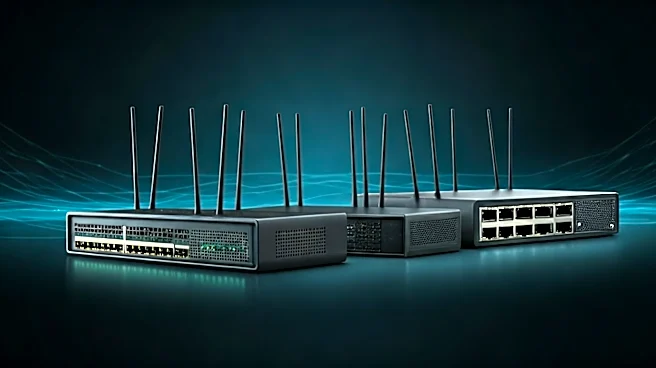
Think of your office router as the heart of your network and its primary gatekeeper. At home, it connects your laptop and phone to the internet. In a small business, it does the same job but with more at stake. This device is responsible for two critical,
unseen jobs: DHCP and NAT. DHCP, or Dynamic Host Configuration Protocol, is like a friendly host at a party who hands out name tags. When a new device joins the network, DHCP automatically assigns it a unique IP address so other devices know how to find it. Without it, you'd have to manually assign an address to every single computer, printer, and phone—a tedious and error-prone task. Then there's NAT, or Network Address Translation. NAT allows all the devices in your office to share a single public IP address provided by your internet service provider. It acts like a corporate mailroom, taking all outgoing requests from different internal devices, sending them out under one public address, and then sorting the incoming responses to make sure they get back to the right computer. This process not only conserves IP addresses but also adds a basic layer of security by hiding your internal device addresses from the outside world.
Switches and Access Points: Managing the Flow
While a router manages traffic in and out of your network, switches and access points manage the flow within it. A common mistake in a growing office is expecting a single consumer-grade router to handle dozens of devices. As you add more computers, printers, and servers, you’ll need a network switch. A switch is a device that connects multiple wired devices on the same local network, acting as a smart traffic cop that directs data only to the specific device that needs it. This is far more efficient than older hubs that would broadcast information to every device, creating unnecessary traffic. For wireless connectivity, you rely on access points (APs). While a home router has a built-in AP, a business office often needs multiple APs strategically placed to ensure strong, consistent Wi-Fi coverage and eliminate dead zones. Unlike using multiple, separate home routers, business-grade access points are designed to work together, allowing employees to move around the office without dropping their connection as their device seamlessly hands off from one AP to another.
The Unseen Shield: Why Business-Grade Security Matters
A home network's security is designed to protect personal data, but a business network guards sensitive customer information, financial records, and proprietary data. This is where the gap between home and business gear becomes a chasm. While your home router has a basic firewall, a business-grade router or a dedicated firewall appliance offers far more robust protection. These systems provide advanced features like intrusion detection, content filtering, and Virtual Private Network (VPN) support, which is essential for securing remote employee connections. Setting up a separate guest network is another critical security practice easily handled by business-grade equipment. This allows visitors to get online without giving them access to your internal network, servers, or shared files. In an era where small businesses are increasingly targeted by cyberattacks, relying on basic security is a significant risk. Protecting your network is crucial for maintaining operations, ensuring compliance, and preserving customer trust.
From Startup to Enterprise: The Principles That Scale
The beauty of understanding these core components is realizing they don't change as a business grows—they just get more specialized and powerful. An enterprise network in a skyscraper is built on the same principles of routing, switching, and security as your small office setup. The difference is one of scale, performance, and redundancy. Instead of one router, a large corporation might have multiple high-capacity routers with redundant connections to the internet (dual-WAN failover) to ensure they never lose connectivity. Instead of a single switch, they'll have a hierarchy of switches organized in racks. Their Wi-Fi network will consist of hundreds of centrally managed access points. The fundamental concepts of assigning addresses (DHCP), translating them (NAT), and securing the perimeter (firewalls) remain the same. This scalability is why a solid network foundation is so important even for a small business. By starting with business-grade equipment and a logical design, you create a network that can grow with you, rather than one that needs to be completely replaced every few years.