







The Speed Test Illusion
The number one mistake is trusting a single speed test result as the final word on network quality. When you run a standard speed test on your phone, you're measuring one thing: the connection speed between that specific device, at that exact location,
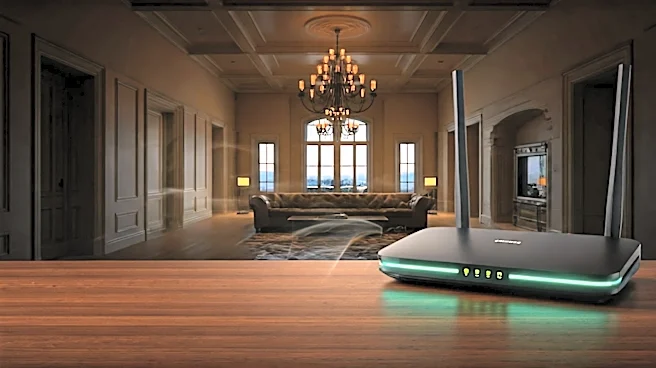
and a remote server. Getting 900 Mbps while standing next to your main router is great, but it tells you almost nothing about the experience in the upstairs guest wing or the basement gym. A large estate isn't a single, uniform bubble of connectivity; it's a complex patchwork of signal zones, and a speed test is just a tiny, often misleading, snapshot. Senior engineers, accustomed to solving problems with empirical data, can fall into the trap of over-indexing on this single, seductive number while ignoring the subjective, location-dependent reality of Wi-Fi performance.
Your Walls Are the Enemy
In a standard apartment or suburban home with drywall and wood framing, Wi-Fi signals have a relatively easy path. Estates are different. They are often built with denser, more signal-blocking materials. That beautiful stone fireplace, the reinforced concrete in the foundation, the plaster and lath walls in an older mansion, or even the metallic tint on modern energy-efficient windows can act like shields against Wi-Fi signals. A signal that starts strong from an access point can become dramatically weakened (a process called attenuation) after passing through just one or two of these obstacles. An engineer might logically place an access point for maximum coverage on a blueprint, but fail to account for the invisible barrier created by a pre-war brick wall or a steel support beam, leading to a dead zone that defies the network map.
The Mesh Network Bottleneck
Mesh Wi-Fi systems seem like the perfect solution for large homes, promising seamless coverage everywhere. And they are—up to a point. The critical detail everyone misses is the 'backhaul,' which is how the satellite nodes talk to the main router. In many consumer-grade systems, this backhaul happens wirelessly, using the same Wi-Fi channels your devices use. Each 'hop' a signal makes from one node to another can effectively cut the available bandwidth in half. In a 5,000+ sq ft home, your phone might connect to a satellite two or three hops away from the main router. Even if your ISP delivers 1,000 Mbps to the modem, you could be looking at speeds of just 250 Mbps or less at the edge of the network, not because of weak signal, but because of this backhaul bottleneck. The only way to avoid this is with a wired Ethernet backhaul, where each node is physically connected to the network—a far more involved installation.
Airtime Congestion Isn't About Speed
Another factor a simple speed test completely ignores is 'airtime' congestion. Wi-Fi is a shared medium. Only one device can 'talk' on a given channel at any one time. In a modern luxury home, you might have dozens of devices all competing for that airtime: security cameras uploading footage, smart speakers listening for commands, thermostats checking in, not to mention laptops, phones, and tablets. Even a slow, old device far from the router can hog airtime by taking longer to transmit its data, slowing down the entire network for everyone else. A speed test, which runs in isolation for a few seconds, doesn't capture this chaotic, real-world competition. Your network might have blazing fast 'speed' in a vacuum, but in practice, it's bogged down by digital traffic jams.
Using a Consumer Tool for a Pro Problem
Ultimately, the issue is using the wrong diagnostic tool. A speed test is like using a thermometer to diagnose a complex illness; it gives you one data point but misses the full picture. True network diagnostics, the kind a professional installer would use, involves different tools. These tools measure signal strength (in dBm), signal-to-noise ratio (SNR), channel utilization, and roaming performance between access points. This is the data that actually reveals *why* a device is performing poorly. An engineer from a different discipline might be an expert in their field, but without an understanding of these specific Wi-Fi metrics, they're flying blind, relying on a consumer-grade app that was never designed to debug a high-performance network in a challenging environment.