








What Is Refresh Rate, Really?
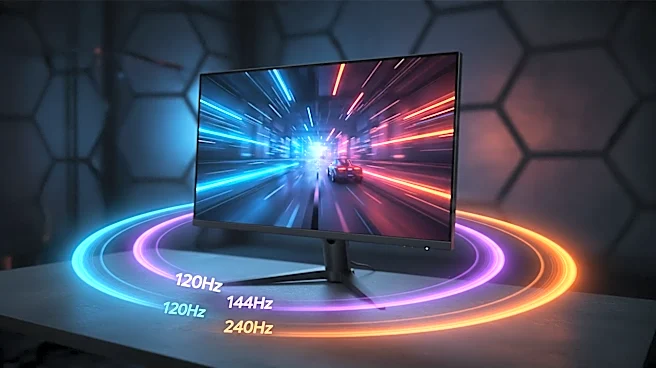
Let’s get the basics out of the way. A monitor's refresh rate, measured in Hertz (Hz), is how many times per second the screen can draw a new image. A 120Hz monitor updates 120 times per second. This is different from frame rate (FPS), which is how many images
your computer's graphics card (GPU) is creating per second. The two work together: your GPU produces the frames, and your monitor displays them. For a smooth experience, you want your monitor’s refresh rate to be able to keep up with the frames your GPU is pushing out. A higher refresh rate allows for smoother motion, reduced motion blur, and a more responsive feel.
The Big Leap: 60Hz to 120Hz/144Hz
For years, 60Hz was the standard. The jump from a 60Hz monitor to a 120Hz or 144Hz model is the most dramatic and noticeable upgrade you can make. The difference is night and day; everything from moving your mouse cursor across the desktop to fast-paced in-game action feels incredibly fluid and responsive. With a 144Hz screen, new frames can be shown every 6.94 milliseconds, compared to 16.67ms on a 60Hz screen. This huge improvement reduces perceived input lag and makes tracking moving targets in games significantly easier. For most gamers, 144Hz is widely considered the “sweet spot” that provides a massive performance upgrade without requiring an ultra-high-end PC to take advantage of it.
The Point of Diminishing Returns: 144Hz vs. 240Hz
This is where the conversation gets nuanced. While the jump from 60Hz to 144Hz is universally praised, the leap from 144Hz to 240Hz is far more subtle. Mathematically, the improvement in frame time is smaller: you gain about 2.77ms going from 144Hz to 240Hz, whereas you gained nearly 10ms going from 60Hz to 144Hz. For most casual players, this difference can be difficult to perceive, and the law of diminishing returns kicks in hard. However, for competitive and professional esports players in games like Valorant or CS2, that tiny 2.77ms edge can be the difference in a duel. A 240Hz monitor provides superior motion clarity and the lowest possible latency, giving elite players a measurable, if small, advantage.
It's Not Just the Hertz
A high-refresh-rate monitor is only one part of the equation. To truly benefit from a 240Hz display, your PC needs a powerful GPU and CPU capable of consistently producing 240 FPS or more in the games you play. If your system only outputs 150 FPS, a 240Hz monitor won't magically make the game smoother than it would be on a 144Hz panel. Furthermore, other panel technologies are just as crucial. A monitor's pixel response time—how quickly pixels can change color—is vital for preventing ghosting and motion blur, and a slow response time can undermine the benefits of a high refresh rate. Technologies like G-Sync and FreeSync, which match the monitor's refresh rate to the GPU's frame rate in real time, are also key to preventing screen tearing and stutter.
So, Who Needs What?
Choosing the right refresh rate comes down to your priorities, the games you play, and your hardware. For console gamers on PlayStation 5 or Xbox Series X, the maximum output is 120Hz, making anything higher unnecessary. For the vast majority of PC gamers who play a mix of fast-paced multiplayer and visually rich single-player titles, a 144Hz or 165Hz monitor offers the best balance of performance and value. If you are a dedicated, highly competitive esports player with a top-tier PC who needs every possible advantage, then a 240Hz monitor is a worthwhile investment. For everyone else, that extra money is often better spent on a more powerful graphics card that can ensure you're making the most of a 144Hz screen.