




The Silent Performance Killer: Thermal Throttling
Modern CPUs and GPUs generate immense heat, especially during demanding, long-running tasks like rendering 4K video or exporting a complex timeline. Unlike gaming, which has fluctuating workloads, video editing often pushes your hardware to 100% usage
for extended periods. To prevent damage, your components have a built-in safety feature called thermal throttling. When a processor hits its maximum safe temperature, it automatically reduces its clock speed to cool down. This isn't a minor dip; a CPU under thermal load can perform up to 50% below its advertised capability. That means your investment in a high-end chip is wasted as it intentionally slows itself down, turning what should be a quick render into a lengthy waiting game. Essentially, you're paying for a sports car that's forced to drive in first gear.
Beyond Speed: System Stability and Project Integrity
An overheating system isn't just slow; it's unstable. Unchecked heat can lead to a cascade of frustrating issues that sabotage your workflow. These include random application crashes, the dreaded "blue screen of death," and playback glitches that make precise editing impossible. Worse, severe overheating can lead to data corruption. Imagine spending hours on a color grade only to have the project file become unreadable due to a heat-induced system error. In a professional environment, this instability translates directly into lost time, missed deadlines, and the unprofessional look of having to explain technical difficulties to a client. A robust cooling system provides the stable foundation necessary for your software to run reliably, ensuring your focus remains on creativity, not crisis management.
The Long Game: Protecting Your Expensive Investment
A video editing workstation is a significant financial investment, and poor cooling actively shortens its lifespan. Sustained high temperatures, even if they don't cause immediate shutdowns, degrade the sensitive electronic components over time. The silicon in your CPU and GPU, the solder joints on your motherboard, and even solid-state drives (SSDs) wear out faster when constantly exposed to excessive heat. Over time, this leads to a gradual decline in performance and an increased failure rate. Experts note that for every 10°C increase in operating temperature, the reliability of electronic devices can be cut in half. By investing in proper cooling, you’re not just buying performance for today; you're ensuring your machine remains a reliable workhorse for years to come, maximizing its value and preventing a premature and costly replacement.
What Makes a Good Cooling Setup?
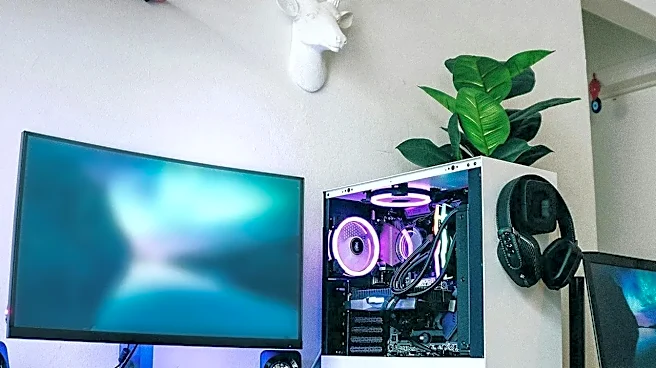
Effective cooling is a three-part system: the component cooler, the case, and its airflow. For the CPU, you can choose between high-performance air coolers, which use a heatsink and fan, or All-in-One (AIO) liquid coolers, which use a radiator and fluid to transfer heat. While liquid cooling can offer superior performance for heavily overclocked systems, a high-end air cooler is often more than sufficient and very reliable for most editing builds. However, the best CPU cooler in the world can't work effectively in a case with poor ventilation. Look for a computer case designed for high airflow, with mesh front panels and multiple fan mounts. This allows cool air to be drawn in and hot air to be expelled efficiently, preventing your components from suffocating in their own waste heat.