





The Hidden 'Tax' of Single-PC Streaming
When you game and stream from a single PC, you're asking one machine to perform two incredibly demanding jobs simultaneously. Your computer has to render a fast-paced game at high quality while simultaneously encoding that gameplay into a video format
that can be broadcast live. This creates a resource war between your game and your streaming software, like OBS. The result is what streamers call a 'performance tax.' Either your in-game frame rate suffers, making you less competitive, or your stream quality drops, resulting in a blocky, stuttering feed for your viewers. In the worst-case scenario, both suffer, and your CPU overheats and throttles, potentially crashing your entire session. This compromise is the single biggest technical hurdle aspiring creators face, often leading them to believe high-quality streaming is out of reach without a top-of-the-line, multi-thousand-dollar rig.
The Two-PC Solution: It's Simpler Than You Think
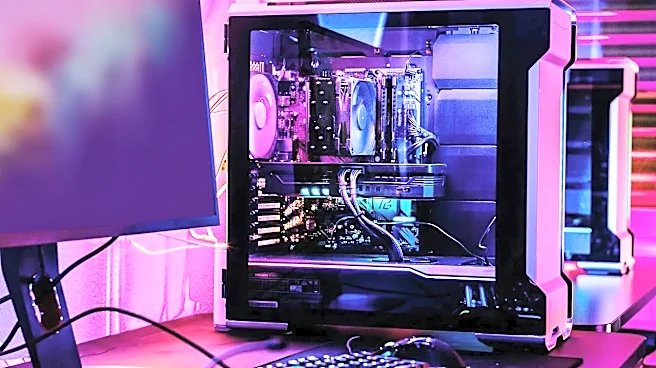
The gold standard for professional streamers is a dual-PC setup, but that doesn't mean you need two identical, high-end machines. The concept is beautifully simple: one PC is for gaming, and one is for streaming. Your powerful gaming rig does what it does best—run games at maximum performance. It sends a clean video feed to a second, dedicated streaming PC via a capture card. This second PC has only one job: to encode that feed and send it to Twitch, YouTube, or Kick. By splitting the workload, you completely eliminate the performance tax. Your gaming PC is free to use 100% of its resources for gaming, and your streaming PC can use 100% of its resources to create the cleanest possible broadcast. This isolation also adds stability; if your game crashes, your stream stays live, allowing you to seamlessly switch to a 'be right back' screen and communicate with your audience instead of abruptly going offline.
Why 'Budget Tier' Is More Than Enough
Here’s the part most people get wrong: the dedicated streaming PC doesn't need to be powerful in the traditional gaming sense. Its role is highly specialized. For around $500-$700, you can build a machine that excels at this one task. You don't need a monster graphics card; you need a component with a modern media encoder. An entry-level NVIDIA GPU, even a used one from a few generations back, contains a dedicated chip called NVENC that handles video encoding with almost no CPU usage. This technology is so efficient that it makes high-quality 1080p 60fps streaming accessible on very modest hardware. Paired with a modern but budget-friendly CPU like an Intel Core i3 or an AMD Ryzen 5, 16GB of RAM, and a basic SSD, this machine becomes an encoding powerhouse. You can even repurpose an older PC for this role, making the entry cost even lower.
The Real-World Payoff: Professionalism and Growth
Investing in a budget streaming PC isn't just a technical upgrade; it's an investment in your channel's professionalism and potential for growth. A consistently smooth, high-quality stream is a key differentiator. Viewers are more likely to stay, engage, and subscribe when the viewing experience is clean and uninterrupted. Your gameplay will be better because you're no longer fighting your own hardware for frames. You can run complex stream layouts, alerts, and background applications on your second PC without ever worrying about it impacting your game's performance. For a relatively small investment, you are solving the single biggest technical bottleneck that holds back 90% of aspiring streamers, putting your production quality in a league with established, full-time creators.