






It's More About Ergonomics Than Desk Space
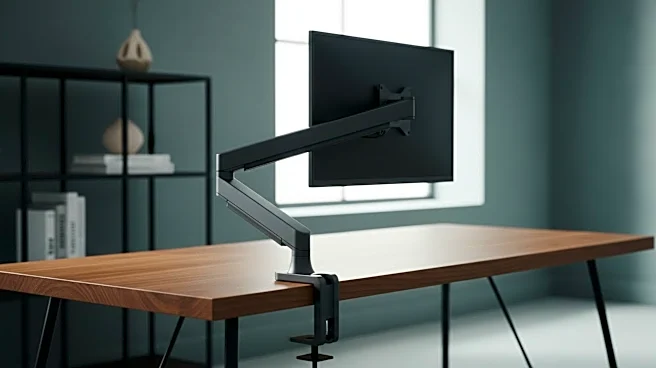
The most common reason to buy a monitor arm is to get that bulky stand off your desk. And while you’ll love the extra surface area, the real game-changer is ergonomics. A good monitor arm allows you to precisely control the height, depth, and angle of your screen.
The goal is to position the top of your screen at or slightly below eye level, at about an arm's length away. This neutral position prevents you from hunching over or craning your neck, reducing strain on your neck, back, and shoulders. Over weeks and months, this adjustment is far more valuable than the few square inches of reclaimed desktop—it's an investment in your daily comfort and long-term health.
Your Monitor's Weight Isn't the Only Spec That Matters
First-time buyers diligently check their monitor’s weight against the arm’s capacity. That’s smart, but it's only half the story. You also need to confirm its VESA compatibility. VESA is a universal standard for the four-hole mounting pattern on the back of most monitors, typically 75x75mm or 100x100mm for common sizes. Before you buy, check your monitor’s manual or back panel to ensure it has a VESA pattern that matches the arm. Some monitors, especially certain Apple models or all-in-one PCs, may not be VESA-compliant at all, or might require a special adapter. Discovering this after you've unboxed your new arm is a uniquely frustrating experience.
Not All Motion Is Created Equal
You’ll see terms like “gas spring,” “mechanical spring,” and “articulating” used to describe monitor arms. These aren't just marketing fluff; they define how the arm moves. Mechanical spring arms use a coil to counterbalance the monitor's weight and are known for durability. Gas spring arms use a pressurized cylinder to do the same job, offering exceptionally smooth, one-touch adjustment. If you frequently switch between sitting and standing or need to share your screen with others, a gas spring arm’s fluid motion is a significant quality-of-life upgrade. If you plan to set your monitor and rarely move it, a more basic mechanical or fixed arm might be all you need, often at a lower cost.
Cable Management Is a Bigger Deal Than You Think
One of the main selling points of a monitor arm is a cleaner, minimalist aesthetic. But that dream can be quickly ruined by a spaghetti monster of power, video, and USB cables dangling from your floating screen. Most monitor arms come with a built-in cable management system, but their quality varies wildly. Some feature simple clips that barely hold one or two thin cables, while others offer generous, integrated channels hidden within the arm itself. Before you buy, look closely at how the arm handles cables. An elegant cable management solution is the finishing touch that truly elevates your setup from merely functional to professionally clean.
Installation Tests Your Desk (and Your Patience)
You assume you'll just clamp the arm on and be done in ten minutes. The surprise here is twofold. First, the stability of the arm is completely dependent on the stability of your desk. A thin, hollow-core tabletop might not be sturdy enough to support a clamp mount holding a heavy monitor. You need to check your desk's thickness and material to ensure it can handle the pressure without damage. Second, there are two main mounting types: a clamp that grips the edge of the desk and a grommet that fits through a hole in the desk. While clamps are more common and versatile, a grommet mount provides a cleaner, more centered look if your desk has a pre-drilled cable hole you can use.
You're Buying for Your Next Monitor, Too
A high-quality monitor arm can easily outlast your current display. This leads to a surprising realization: you should consider future-proofing. Buying an arm that can only just handle your current 5-pound, 24-inch monitor might feel economical now, but what happens in two years when you upgrade to a heavier 32-inch or ultrawide screen? Suddenly, your arm is obsolete. Investing in a robust arm with a generous weight capacity and smooth articulation provides flexibility for years to come. It transforms the purchase from a simple accessory for your current monitor into a long-term platform for your entire workspace.