
The invisible speed thief
When we buy networking gear, we tend to obsess over the numbers printed on the box: the gigabit speeds, the Wi-Fi 7 certifications, and the massive coverage areas. We assume that if we pay for a fast plan
and premium hardware, we will experience that speed in every corner of our homes. However, there is a silent culprit often working against us behind the scenes. It is not a faulty cable or a bad signal from your ISP; it is often the very features designed to make your devices more efficient. Modern networking equipment is packed with power-saving technologies that prioritize energy conservation over raw performance, often without you ever realizing it.
Routers that need a nap
Your router is likely the first place where performance takes a hit. To lower electricity bills and reduce heat, many modern routers come with built-in ECO modes or sleep timers enabled by default. For instance, some manufacturers include specific power modes that intentionally lower radio output. While this might save a few cents on your monthly utility bill, it can significantly shrink your wireless range and drop your download speeds. In some real-world tests, switching off these ECO modes has been shown to roughly double download speeds on certain mesh systems. If you find your signal strength dropping as you move away from the hub, your router might simply be trying too hard to take a nap.
The wired connection trap
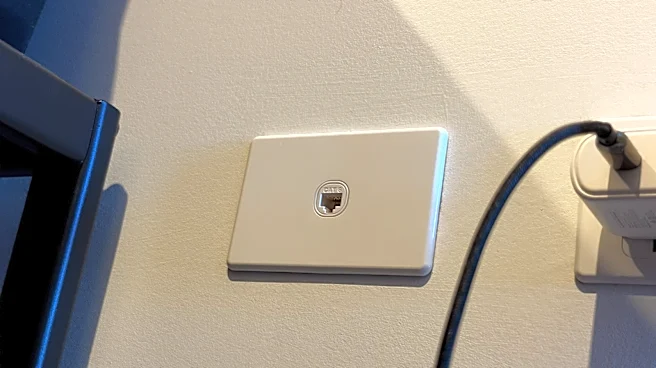
It is a common misconception that plugging in an Ethernet cable solves all speed issues. While wired connections are generally more stable, they are not immune to power-saving interference. A feature known as Energy Efficient Ethernet (EEE) allows network controllers and switches to power down parts of their hardware when data isn't actively moving. While this sounds great for sustainability, aggressive EEE settings can lead to sudden latency spikes or dropped packets when you suddenly need that data to move. This is particularly noticeable during high-stakes activities like video calls or gaming, where even a millisecond of delay caused by a 'waking' controller can ruin the experience.
How to reclaim your bandwidth
If you suspect your hardware is throttling you, you do not need to be an IT expert to troubleshoot the issue. The best approach is to isolate the bottleneck through a process of elimination. Start by connecting a computer directly to your modem via an Ethernet cable; if you get your full advertised speed there, you know the issue lies within your local network equipment rather than your service provider. From there, check your router settings for terms like 'ECO Mode,' 'Power Save,' or 'Green Ethernet.' A helpful tip is to tweak only one setting at a time while monitoring jitter—the variation in latency—rather than just raw download speeds. Jitter is often what causes that frustrating stutter in video calls and streaming.