






First, What Is 'AI Inference at Home'?
In the world of AI, there are two main processes: training and inference. Training is the heavy-duty process of teaching an AI model on massive datasets, which requires data centers full of expensive hardware. Inference, on the other hand, is the process of using
a pre-trained model to generate a response, create an image, or analyze data. For years, inference also happened in the cloud—every time you prompted ChatGPT, your request was sent to a remote server for processing. Local AI inference flips that script. It means running these powerful AI models directly on your own computer. Using free and user-friendly tools like LM Studio, Ollama, or Jan, you can download open-source models and run them entirely on your PC, often without needing an internet connection. This shifts the power from large tech companies to the individual user.
Decoding the 'Budget Tier' AI Build
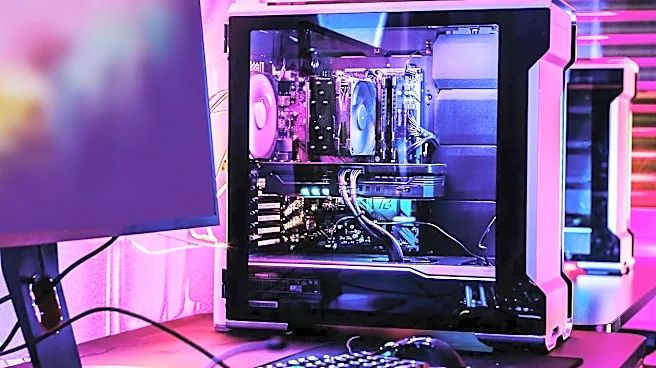
The idea of an “AI PC” might bring to mind exorbitantly priced, top-of-the-line hardware, but a capable budget build is well within reach. The single most important component for AI inference is the Graphics Processing Unit (GPU), and specifically, its video memory (VRAM). VRAM is the resource that determines the size and complexity of the AI models you can run. For a budget-tier build focused on AI, you don't necessarily need the fastest gaming GPU on the market; you need one with sufficient VRAM. Many experts point to cards with 12GB or 16GB of VRAM as the sweet spot for a budget or entry-level AI machine. For example, an NVIDIA GeForce RTX 3060 (12GB) or an RTX 4060 Ti (16GB) can comfortably run a wide variety of powerful language and image models. Paired with a modern CPU and at least 16GB of system RAM, you can assemble a highly functional AI inference machine for a price comparable to a mid-range gaming PC. The focus is on memory, not just raw processing speed.
So, What Can You Actually Do With It?
This is where the true potential unfolds. A home AI build isn't just a novelty; it's a launchpad for practical and creative tasks that are either costly or restricted on cloud platforms. You can run local Large Language Models (LLMs) to function as a private writing assistant, summarize documents, or help you code, all without sending your data to a third party. For artists and designers, it means running image generation models like Stable Diffusion to create unlimited visuals without paying per-image credits. You can fine-tune models on your own writing or art to develop a personalized AI that understands your style. Other applications include real-time voice transcription, running AI agents to automate tasks on your computer, or simply experimenting with the latest open-source models the day they are released.
Why This Matters: Privacy, Cost, and Control
The most significant advantage of running AI locally is privacy. When the model runs on your machine, your data—be it personal financial documents, sensitive work projects, or private creative ideas—never leaves your computer. This is a fundamental shift from cloud-based AI, where privacy relies on a company's policies, which can and do change. Local AI offers privacy by architecture; the data physically cannot be accessed by an outside party. Beyond privacy, there's the issue of cost and control. Cloud AI services often come with recurring subscription fees and usage limits. A local AI build is a one-time hardware investment that allows for unlimited use without worrying about an API bill. You also gain complete control. There are no content filters, no provider-imposed restrictions, and no chance of a service being discontinued or altered. You become the owner of your AI tools, not just a renter. This freedom fosters a permissionless environment for innovation, where anyone can tinker, build, and explore the future of AI on their own terms.