





The Productivity Boom Is Real, and It’s Instant
The first and most profound surprise is the immediate jump in productivity. You’ve probably heard people say it makes you more efficient, but the reality is startling. Studies have consistently shown that using two screens leads to significant gains.
Jon Peddie Research found an average productivity increase of 42% for users with dual monitors. This isn't just a perception; it's a tangible change. Suddenly, you can have your research material open on one screen while you write on the other, or keep your email visible while working in a spreadsheet without constantly switching windows. That mental friction you didn't even notice—the constant Alt-Tabbing, minimizing, and rearranging—vanishes, freeing up cognitive resources.
You’ll Finally Fix Your Posture Without Thinking
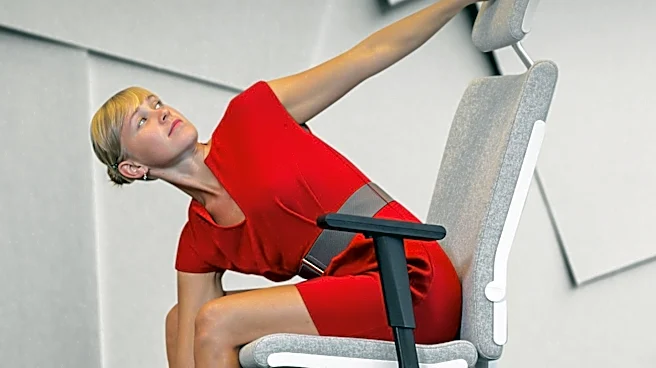
The second surprise is physical: a sudden sense of ergonomic relief. For years, you've likely been hunched over your laptop, craning your neck down in what’s often called “tech neck.” An external monitor, when properly positioned at eye level, forces you to sit up straight. This small change has an outsized impact on reducing neck, shoulder, and back strain. You don’t have to remind yourself to “sit up straight” anymore; the monitor’s position naturally encourages better posture. It’s a passive improvement to your well-being that you feel at the end of the workday, and it’s a benefit few anticipate when they’re just seeking more screen space.
It’s Not Just a Bigger Screen, It's an Immersive Space
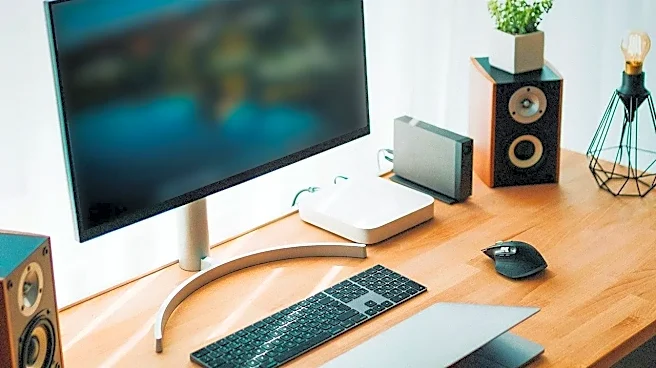
First-timers often expect their laptop display, just bigger. But the experience is fundamentally different. A larger, high-resolution external monitor provides an immersive field of view that a 13- or 15-inch laptop screen simply can't match. Details in images and text become clearer, and the sheer expanse of digital real estate makes tasks feel less constrained. Instead of peering into a small window, you’re looking out onto a landscape. This expanded view allows for a more natural and less frustrating workflow, particularly for creative tasks like photo or video editing, where color accuracy and higher resolution on a dedicated monitor often surpass what a standard laptop can offer.
Your Laptop Screen Gets a New, Humbler Job
Once you designate the external monitor as your primary display, your laptop screen is demoted. This is a surprise for many. Its new role is often relegated to secondary, less critical tasks. It becomes the perfect spot for keeping a Slack channel open, your email inbox in view, or a video call running while you do the “real” work on the main stage. This division of labor is incredibly effective. It helps compartmentalize your attention, dedicating your big screen to deep-focus tasks and the smaller screen to communication and reference materials. Your powerful laptop is now, in essence, serving its bigger, stationary partner.
There Are Hidden Costs and a Tangle of Wires
Not every surprise is a pleasant one. The initial purchase of the monitor is often just the beginning. Depending on your laptop's ports, you may be surprised to find you need to buy adapters, docks, or specific cables like a high-quality HDMI or USB-C cable to get the setup you envisioned. Some laptops may not be able to drive a high-resolution or high-refresh-rate monitor at its full potential without the right connection. This can lead to a frustrating trip back to the electronics store and a desk that suddenly looks a lot messier. Managing the extra power and display cables becomes a new, unexpected chore in your previously minimalist laptop setup.
You Have to Relearn How to Manage Your Windows
With great power comes a small but real learning curve. You suddenly have two distinct displays, and you need to tell your computer how to use them. Do you want them to mirror each other or extend your desktop? (You almost always want to extend). Once extended, you’ll find yourself dragging windows from one screen to the other, figuring out where new applications should open by default, and learning keyboard shortcuts to snap windows into place. It’s not difficult, but it takes a few days of adjustment to make the workflow feel second nature. Mastering this new spatial organization is the final step in unlocking the monitor’s true potential.