





Where Most Cooling Reviews Go Wrong
Most hardware reviews test cooling performance using gaming benchmarks. Games create short, intense bursts of CPU activity. A cooler’s job in this scenario is to handle these spikes effectively, and success is measured by how well it keeps the peak CPU temperature
down. For this reason, many reviews focus almost exclusively on a single number: the maximum temperature of the CPU core after a few minutes of a gaming-simulated load. This has led to a market saturated with products optimized for that one metric. While this is useful information for gamers, it doesn't paint the whole picture for a creative professional whose computer use is fundamentally different.
The Real Bottleneck: Sustained Loads and Heat Soak
Photo editing workloads aren't like games. Exporting a wedding gallery from Lightroom, batch processing hundreds of RAW files, or applying complex filters in Photoshop doesn't create a short burst of activity; it creates a long, sustained load that can last for many minutes, or even hours. During these extended tasks, the CPU runs at a high capacity for a prolonged period. This generates a tremendous amount of consistent heat. The problem is no longer just about the CPU's peak temperature. Instead, it's about how the entire system deals with "heat soak"—the gradual buildup of thermal energy inside the PC case. This is the hidden detail reviews often miss: it’s not the CPU cooler alone, but the entire system’s ability to manage sustained heat that determines stability and performance for a photographer.
It’s Not Just Your CPU That’s Sweating
When heat soaks a system, other critical components begin to suffer. The most significant victim for a photographer is often the NVMe Solid State Drive (SSD), where your operating system, applications, and active projects are stored. When these incredibly fast drives get too hot, they engage a self-preservation mechanism called thermal throttling, which dramatically slows down their read and write speeds to cool off. Suddenly, your lightning-fast storage feels sluggish, and the export that should have taken ten minutes is now crawling along. Similarly, the motherboard's Voltage Regulator Modules (VRMs), which supply stable power to the CPU, can overheat during sustained loads. Unstable power delivery can lead to system crashes and dreaded blue screens—a disaster in the middle of a client deadline.
Building a Smarter Cooling System
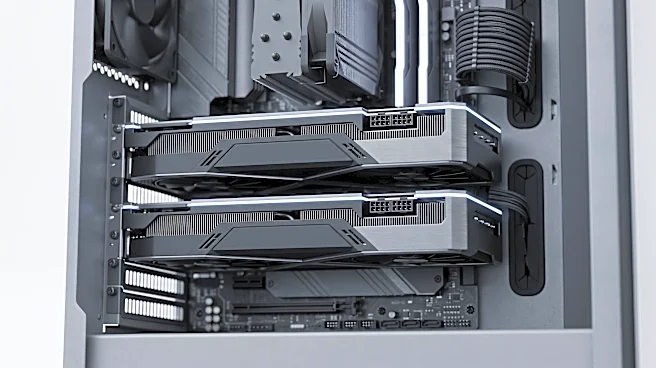
The solution isn’t necessarily a bigger, more expensive CPU cooler. The key is to think about system-wide airflow. An All-in-One (AIO) liquid cooler is excellent at moving CPU heat directly out of the case, but it does little to create airflow over the motherboard components like VRMs and M.2 SSD slots. In contrast, a traditional tower-style air cooler, while keeping the heat inside the case initially, actively moves air across the motherboard, providing incidental cooling to these other critical parts. The ideal setup for a photo editing rig often involves a high-airflow case, well-placed case fans to ensure constant air exchange, and a CPU cooler chosen not just for its peak performance but for its contribution to overall system cooling. Many modern motherboards now include built-in heatsinks for M.2 drives, which are essential for any serious creative workstation. When choosing your parts, prioritize cases with mesh fronts and multiple fan mounts over sealed-off glass boxes, and ensure your SSD has a heatsink to prevent it from throttling during your most intensive tasks.