






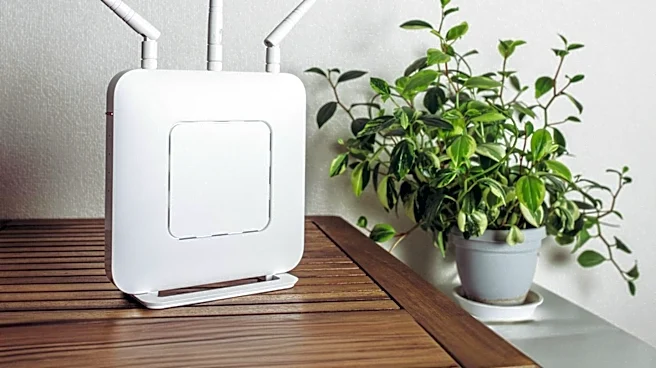
It's All About Location, Location, Location
The most common piece of Wi-Fi advice is also the most important: move your router. But why? It’s not about aesthetics; it’s about physics. Your router sends out internet data via radio waves, and like any wave, they get weaker the farther they travel.
More importantly, these signals are easily obstructed. Drywall and wood have a low impact, but denser materials like brick, stone, and especially concrete can seriously degrade the signal. Metal is a Wi-Fi killer, reflecting and scattering the waves. That’s why hiding a router in a cabinet with metal hinges, behind a TV, or near ductwork is a recipe for a bad connection. Placing your router in a central, elevated location isn't about making it a centerpiece; it’s about giving the radio waves the clearest, most direct path to your devices with the fewest obstacles to weaken them.
Your Wi-Fi Isn't Alone in the Air
Ever been in a crowded room where you can't hear the person next to you? That’s what your Wi-Fi network experiences. This is called interference, and it comes from two main sources: your neighbors and your own appliances. Most Wi-Fi operates on the 2.4 GHz and 5 GHz radio frequency bands. The 2.4 GHz band has a longer range but is incredibly crowded. It has only three non-overlapping channels and must compete with everything from your microwave and cordless phones to your neighbor's network. This congestion is why your speed can drop even with full bars. The 5 GHz band offers much faster speeds and more channels, making it less congested and far better for bandwidth-heavy tasks like 4K streaming. The trade-off is its shorter range. So when you hear advice to “switch to the 5 GHz band,” it’s about moving your streaming traffic out of the crowded radio-wave slow lane and into the express lane.
The Myth of One Giant 'Fast Lane'
Older routers were like a single speaker shouting information to a room—inefficient and chaotic. Modern routers are far more intelligent, using technologies that create multiple, dedicated lanes for your devices. The first is Multi-User, Multiple-Input, Multiple-Output (MU-MIMO). This technology allows a router to communicate with multiple devices simultaneously instead of making them wait in line for data. This is crucial in a home where a 4K stream is competing with laptops and phones. Complementing this is beamforming, a technology that detects where your streaming device is and focuses the Wi-Fi signal directly at it, like a spotlight. Instead of broadcasting the signal equally in all directions, beamforming provides a stronger, more stable connection to the devices that need it most. Together, MU-MIMO and beamforming transform your Wi-Fi from a single, chaotic firehose into a series of direct, efficient data streams.
Not All Internet Traffic Is Created Equal
In a busy household, your 4K stream is competing for bandwidth with a software update on your laptop, a game download on a console, and someone scrolling social media on their phone. Without rules, it's a free-for-all that can cause your movie to buffer. This is where Quality of Service (QoS) comes in. QoS is a feature in most modern routers that acts like a traffic cop for your home network. You can configure it to prioritize certain types of data or specific devices. By giving video streaming a higher priority, your router ensures that data packets for your 4K movie are pushed to the front of the line, even when the network is congested. This minimizes latency (delay) and packet loss, which are the primary culprits behind buffering and degraded picture quality. So, when you enable QoS, you're not just getting faster internet; you're telling your router what matters most to you.