





The Promise on the Box
Mesh system packaging is a masterclass in optimism. It promises coverage for thousands of square feet, eliminating dead zones and delivering flawless streaming in every corner. These claims aren't exactly false, but they are created under ideal conditions.
Manufacturers test their equipment in controlled environments, often large, open-plan office spaces with minimal physical barriers or radio frequency interference. In this pristine setting, a three-node system can easily cover a huge area because the Wi-Fi signals travel unimpeded. This is the best-case scenario, a benchmark of what the hardware is capable of. Your home, however, is not a benchmark; it's a complicated, messy, and unpredictable environment that actively works against the promises made on the box.
Your Home Is an Invisible Obstacle Course
The single biggest reason for the performance gap is your home's construction. Wi-Fi signals are radio waves, and they get weaker every time they have to pass through a physical object. While they can handle standard drywall without much trouble, denser materials are a major problem. Brick, stone, and especially concrete walls can significantly absorb and weaken Wi-Fi signals. The metal in your home is even worse. It doesn't just absorb the signal; it actively reflects it, creating dead zones. This includes metal wall studs, ductwork, large appliances like refrigerators, and even the thin metallic film in modern, energy-efficient windows or mirrors. An open-plan lab has none of this. A typical 2,000 sq. ft. house, especially a two-story one, is a maze of these signal-killing materials that the advertised coverage area simply doesn't account for.
The Battle for Airspace
Your mesh system isn't just fighting your walls; it's competing with other devices for clean airspace. Many common household electronics use the same 2.4 GHz frequency band as Wi-Fi, causing interference. The biggest offender is often the microwave oven, which can slash Wi-Fi performance when it's running. Cordless phones and older Bluetooth devices can also contribute to the noise. Furthermore, if you live in a dense area, your neighbor's Wi-Fi network is also a source of interference, with multiple networks competing for the same channels. A mesh system's nodes also have to talk to each other, a process called "backhaul." In many dual-band systems, this backhaul communication happens on the same Wi-Fi channels your devices use, effectively cutting the available bandwidth in half for any device connected to a satellite node. This wireless overhead is a performance cost that doesn't exist with a single router or a wired connection.
Placement Is Everything
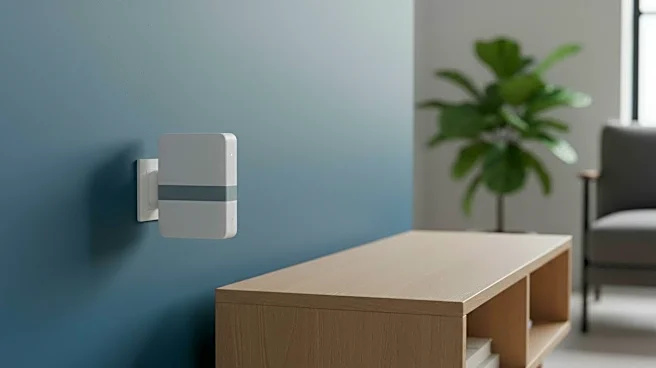
Where you place your mesh nodes is arguably the most critical factor you can control. The common instinct is to hide the nodes for aesthetic reasons—tucking them into a media console, behind a sofa, or on a low shelf. This is often the worst thing you can do. Wi-Fi signals radiate outwards, so placing a node inside a cabinet is like putting a lamp inside a box and expecting it to light up a room. For optimal performance, nodes need to be out in the open, preferably elevated, and have a relatively clear line of sight to each other. In a two-story home, the best spot for the main router is often near the ceiling of the first floor or the floor of the second floor, to cover both levels evenly. The satellite nodes should then be placed no more than one or two rooms away from the main router to ensure they receive a strong signal to rebroadcast. Poor placement forces the nodes to work harder, resulting in slower speeds for all connected devices.