
Beyond Resolution and Frame Rates
Let’s get the obvious out of the way: standard camera specs matter. A high-resolution sensor (like 4K) provides a crisp image and allows for digital zooming without turning your face into a pixelated mess.
A high frame rate (60fps) delivers smooth, fluid motion that looks far more professional than a choppy 30fps feed. A wide field of view (FOV) is great for group shots, and good low-light performance is essential for anyone not working in a perfectly lit television studio. Reviews dutifully test these metrics. They’ll show you side-by-side comparisons, talk about sensor size, and praise the quality of a glass lens over a plastic one. And for the average user just trying to look a bit better on Zoom, that’s often enough. But for a “power user”—a streamer, a content creator, a C-suite executive, or anyone who lives on video calls and obsesses over quality—these specs are just the entry fee. They are the baseline, not the destination.
The Real Differentiator: The Software Layer
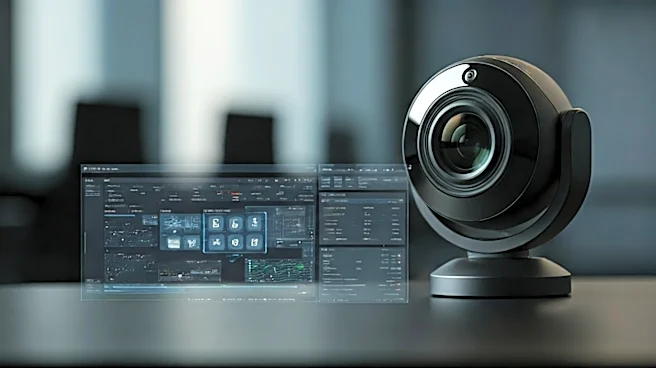
The hidden detail that most reviews miss is the depth, stability, and control offered by the camera’s software ecosystem. This isn't just about a little control panel that lets you tweak brightness and contrast. We’re talking about the fundamental architecture of how the camera processes and delivers its video feed to your computer. Many high-end cameras now function less like simple webcams and more like tiny, connected computers. The difference lies in where the image processing happens and how much control you have over it. Basic cameras dump a raw or lightly processed feed to the computer and rely on generic drivers (UVC, or USB Video Class) and software like Zoom or OBS to do the heavy lifting of color correction and effects. This eats up your computer’s CPU resources and offers inconsistent results across different applications. Power-user cameras, however, have sophisticated onboard processors and dedicated software that gives you granular, persistent control. The best software allows you to bypass the generic drivers and access the camera’s settings at a much deeper level.
Why This Matters for Your Workflow
So, what does this superior software control actually get you? In a word: consistency. For a business professional, it means you can dial in the perfect color temperature, exposure, and framing, and then save those settings *directly to the camera's hardware*. Your picture will look exactly the same whether you open Zoom, Microsoft Teams, or Google Meet, on any computer, without fiddling with sliders before every single meeting. It’s the difference between looking professional by default and scrambling to fix your lighting two minutes into a call. For streamers and creators, the benefits are even greater. Advanced software, like Elgato’s Camera Hub, allows for direct sensor access. This means you can set manual ISO, shutter speed, and white balance in Kelvin, just like on a professional DSLR. This level of control allows you to perfectly match your webcam to other cameras in a multi-cam setup and ensures your look never changes, even if the light in your room shifts slightly. Furthermore, efficient software offloads processing from your PC’s CPU, freeing up precious resources for gaming or running other demanding applications during your stream.
What to Look For (and What to Avoid)
When you’re vetting your next camera, stop looking at just the resolution and start digging into the software. Look for cameras that explicitly advertise the ability to save settings to onboard memory. Read reviews or watch videos that specifically focus on the camera’s control app. Is it stable? Does it run quietly in the background, or is it a known resource hog? Excellent indicators of a power-user camera include the availability of a Software Development Kit (SDK) or API access, which allows for custom integrations with tools like a Stream Deck. Brands like Logitech (with its Logi Tune and G Hub software), Elgato (Camera Hub), and Razer (Synapse) have invested heavily in creating these ecosystems for their premium cameras. Conversely, be wary of generic-brand cameras that promise amazing hardware specs but have no proprietary software to speak of. They may produce a decent image out of the box, but you’ll be left with no control, no consistency, and no ability to tailor the performance to your specific needs.