






The Hidden Health Costs of 'Good Enough'
If you leave your desk with a sore wrist, stiff neck, or tired eyes, don't just blame the long hours—blame your tools. A cheap, standard-issue keyboard and mouse force your hands and wrists into unnatural positions. Over months and years, this can contribute
to repetitive strain injuries (RSIs), which affect the muscles, nerves, and tendons. Similarly, staring at a low-resolution or poorly lit monitor forces your eyes to work harder, leading to what is known as computer vision syndrome or digital eye strain. Symptoms like dryness, headaches, and blurred vision aren't just uncomfortable; they are a sign that your visual system is under stress. While ergonomic furniture like chairs and desks get a lot of attention, the peripherals you interact with every second have an equally significant impact on your physical well-being.
Your Productivity Is Leaking, Click by Click
Every moment of friction at your desk adds up. A laggy mouse that makes you miss a target, a mushy keyboard that causes typos, or a small screen that forces you to constantly switch between windows—these are not just minor annoyances. They are micro-disruptions that break your focus and drain your mental energy. Studies have shown that ergonomic interventions can significantly boost productivity, in some cases by over 20%. When your tools are responsive, comfortable, and tailored to your workflow, you can move more seamlessly through your tasks. A programmable mouse can automate repetitive actions, a mechanical keyboard provides satisfying tactile feedback for faster typing, and a larger, high-resolution monitor allows you to see more information at once, reducing cognitive load. It's about removing the small obstacles that collectively create a major drag on your efficiency.
What 'Better' Actually Means
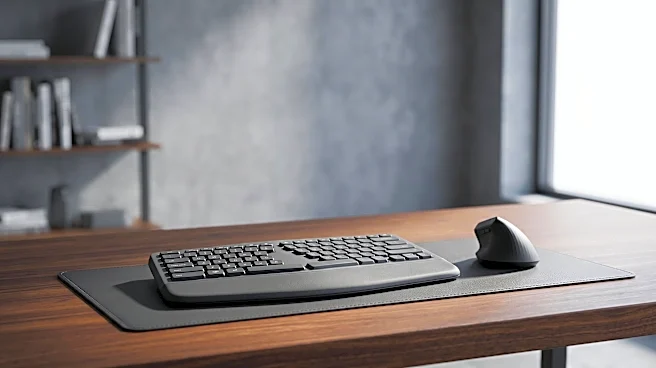
Upgrading your peripherals doesn't have to mean buying the most expensive gaming gear. It means being intentional about the features that support your work. For a keyboard, this might mean moving from a standard membrane model to a mechanical one with switches suited for typing, or trying an ergonomic split design that promotes a more natural hand posture. For a mouse, consider an ergonomic vertical model that reduces wrist strain or a trackball that minimizes arm movement. With monitors, factors like high resolution (for sharper text), good color accuracy, and adjustable stands are crucial. An adjustable stand alone allows you to position the screen at eye level, which is a key tenet of good workplace ergonomics and helps prevent neck pain.
An Investment in Your Professional Self
Ultimately, using quality tools sends a powerful signal—both to yourself and, if you're an employer, to your team. Providing or investing in high-quality peripherals demonstrates a commitment to well-being and performance. It acknowledges that the details of the daily work experience matter. For an individual, choosing to upgrade a mouse or keyboard is an investment in your own comfort and effectiveness. It's a recognition that the tools you use for eight hours a day shouldn't be a source of pain or frustration. Like a chef who invests in good knives, a knowledge worker benefits immensely from having a toolkit that feels good to use and enables them to do their best work without friction.