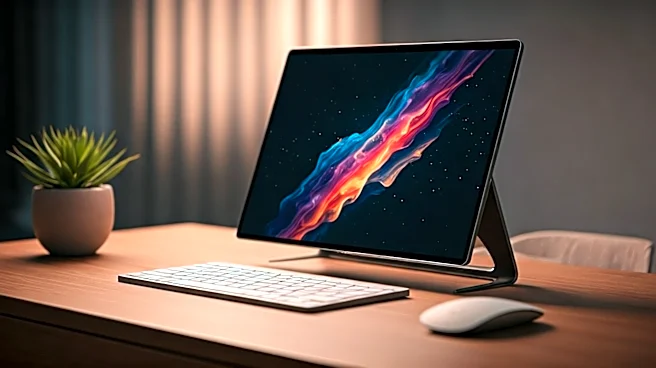

From Niche Gadget to Remote Work Staple
Just a decade ago, portable monitors were a niche, clunky accessory for road warriors and die-hard tech enthusiasts. They often required frustrating drivers, multiple cables for power and video, and offered
dim, low-resolution displays. They were a solution in search of a widespread problem. Then, the world of work changed forever. The sudden, mass migration to remote and hybrid work created that problem on a global scale. Millions found themselves hunched over laptops on kitchen tables, desperately missing the dual-monitor setups that powered their office productivity. The portable monitor was no longer a gadget; it was a lifeline. It became the key to recreating a functional, multi-screen workspace anywhere—from a spare bedroom to a coffee shop—without needing a permanent desk.
The Single-Cable Dream Becomes Reality
The quiet revolution wasn't just about demand; it was enabled by a crucial technological leap: USB-C. This is the single most important factor that transformed portable monitors from awkward to awesome. Older setups were a mess of wires—one for power, another for the video signal (like HDMI). But the arrival of USB-C with DisplayPort Alternate Mode and Power Delivery changed everything. This technology allows a single, reversible cable to transmit video, data, and power simultaneously. Suddenly, setting up a second screen was as simple as plugging one cable from your laptop to the monitor. No extra power bricks, no dongles, no fuss. This plug-and-play simplicity is what finally allowed the hardware to live up to its promise of true, effortless portability. It’s the unsung hero that makes the entire modern portable monitor ecosystem work.
Your First Setup: Position and Purpose
So you’ve unboxed your new screen. Before you just plop it down, think about purpose. The most powerful setup tip is aligning the monitor’s orientation with your workflow. For most people, a standard landscape (horizontal) orientation is perfect for parking a messaging app, a reference document, or a video call. But don’t sleep on portrait (vertical) mode. If you’re a programmer, writer, or researcher, flipping that screen vertically gives you a long, continuous view of code, text, or social feeds. It dramatically reduces scrolling and helps you see the larger context of your work. Most modern portable monitors come with cases that double as stands supporting both orientations. In your computer’s display settings, you can easily tell it which screen is which, where it's located (left or right), and whether it’s rotated, creating a seamless digital canvas.
Mastering the Digital Workspace
Once you’re physically set up, a few software tweaks can make all the difference. The first stop is your operating system’s display settings. Check the scaling. If text and icons look too big or too small on the new screen, adjusting the scaling percentage (e.g., from 100% to 125%) can fix it. Next, ensure your main display is set correctly. You want your primary laptop screen to remain the “main display” so your taskbar and notifications appear where you expect them. Finally, learn the keyboard shortcut to move windows between screens (on Windows, it’s typically Win + Shift + Arrow Key). Mastering this simple command is faster than dragging windows with your mouse and is the key to fluidly managing your expanded workspace. These small adjustments are what elevate a dual-screen setup from functional to truly efficient.
More Than Just Spreadsheets
The impact of portable monitors extends far beyond corporate productivity. They have quietly unlocked new possibilities for creatives, gamers, and presenters. For artists using a tablet like an iPad with Sidecar, a portable monitor acts as a non-touchscreen reference board for images while they draw. For gamers, it’s a game-changer for devices like the Nintendo Switch or Steam Deck, providing a larger, higher-quality screen for hotel rooms or flights without needing a TV. For the sales professional, it’s a perfect presentation tool. Instead of asking a client to huddle around a small laptop, you can mirror your display to the portable monitor, giving them a personal, crystal-clear view of your pitch. This versatility is how the hardware has truly reshaped what we expect from our portable devices.