




The Familiar Foundation: Your Home Network
Let’s start with what you know: your home network. It’s likely a simple, effective system. You have a modem that brings the internet into your house and a router that creates a wireless network, blanketing your living room and maybe the kitchen with a Wi-Fi
signal. All your devices—laptops, phones, smart TVs—connect to this single network, usually with one password. It’s a one-to-many relationship, managed by a single box that does all the work. For a family, this is perfect. It’s designed for convenience and a manageable number of devices. But what happens when you need to provide that same reliable connection to a hundred different people from a dozen different companies, all at the same time?
Scaling Up for a Crowd
A coworking space faces a fundamentally different challenge. A single consumer-grade router, even a powerful one, would buckle under the strain. It's not just about the number of users; it's about the density and the demands. While a home router might handle 10-15 devices comfortably, a professional environment needs to support dozens or hundreds simultaneously, each expecting fast, uninterrupted service for video calls, large file uploads, and constant cloud access. This requires moving from consumer-grade equipment to an enterprise-level solution. Instead of one powerful signal, the goal is to create a mesh of consistent coverage. This is where the architecture begins to look very different from your setup at home.
Beyond the Router: A Fleet of Access Points
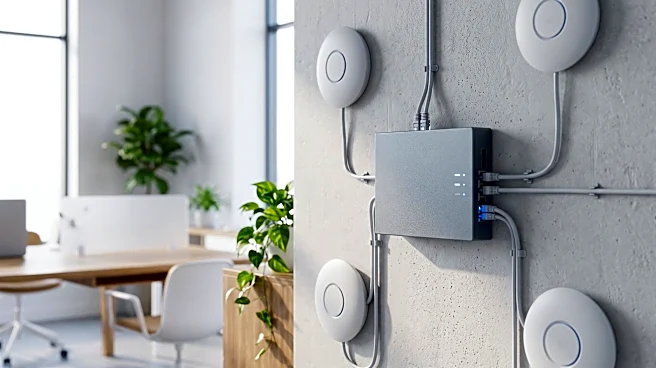
Instead of a single router trying to shout across a large office, a coworking space uses multiple Wireless Access Points (APs). Think of it like lighting a large warehouse: you wouldn’t use one giant, blinding floodlight in the center. You’d strategically place many smaller, overlapping lights to ensure every corner is perfectly illuminated. Access Points work the same way. These devices are installed throughout the space and are hardwired back to a central network switch. They work in unison to create one large, seamless Wi-Fi network. As you walk from your desk to a meeting room, your device intelligently and automatically switches from one AP to the next without you ever noticing, ensuring your connection never drops.
Building Digital Walls with VLANs
Here’s where security becomes paramount. In a coworking space, you can't have the startup in office A snooping on the network traffic of the law firm in office B. This is where Virtual Local Area Networks, or VLANs, come in. A VLAN is a way to partition a single physical network into multiple, isolated virtual networks. Essentially, it's like creating digital walls. The marketing agency gets its own secure network, the freelance developers get theirs, and guest users get yet another. Though all their data travels through the same physical wires and switches, the VLANs ensure the traffic is completely segregated, preventing one member's devices from seeing or accessing another's. This is a critical security feature that a standard home network simply doesn't offer.
The Brains of the Operation: Managed Networks
All of this hardware—the routers, switches, and access points—needs a conductor to orchestrate it. This is the job of a centralized network management system, often run through the cloud. This is what's known as a "managed WiFi" solution. From a single dashboard, a network administrator can see everything: which APs are busiest, how much bandwidth is being used, and if any devices are having trouble connecting. They can onboard a new company by assigning them to a new VLAN, prioritize traffic for video conferencing, and apply security updates to every piece of hardware simultaneously. This level of control and visibility is the defining feature of a modern, professional network, ensuring reliability and security at a scale far beyond a simple plug-and-play home router.