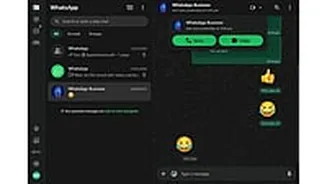








WhatsApp Web is now beginning to support voice and video calling, allowing users to make calls directly from their browser without needing the desktop app. The feature, long requested by users, brings
the web version closer to the functionality available on mobile and dedicated desktop applications.
According to WABetaInfo, which first reported the development and rollout details, the update is currently rolling out to a limited number of beta testers. It starts with one-on-one (individual) chats only. A stable, phased rollout to all users - including those not in the beta programme - is expected in the coming weeks.
How to use voice and video calls on WhatsApp Web
For eligible users who have the feature:
1. Open WhatsApp Web in your browser (web.whatsapp.com) and log in by scanning the QR code with your phone.
2. Navigate to an individual chat.
3. Look for the call icons (phone for voice, camera for video) in the chat header or interface.
4. Click the appropriate icon to initiate a voice or video call.
The call connects using end-to-end encryption via the Signal protocol, the same standard applied across WhatsApp platforms - meaning only the participants can access the content, with no special setup required.
During video calls, users can also activate screen sharing to display their screen in real time, useful for presentations or collaborations. This option is not available in voice-only calls. WhatsApp advises sharing screens only with trusted contacts to avoid exposing sensitive information.
WhatsApp Well Calling: Key details and limitations
- Current scope: Limited to individual chats; group calling (which could support up to 32 participants, call links, and scheduling) remains in development and is not yet available.
- Requirements: No desktop app installation is needed, making it accessible on any compatible browser, including for users on Linux or other platforms where the official desktop app may have limitations.
- Security: All calls remain fully end-to-end encrypted by default.