


What's Happening?
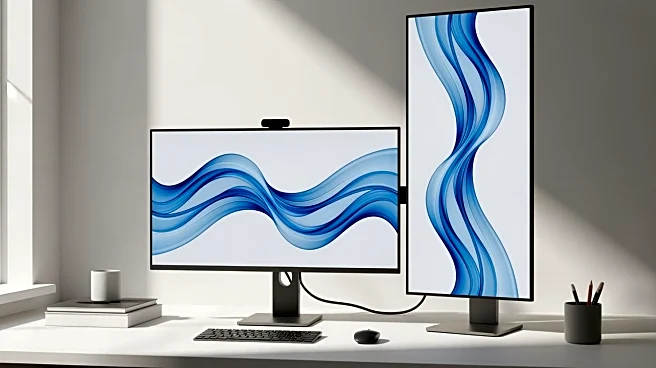
An article discusses the benefits of using a second monitor in a vertical orientation to enhance workflow. Many modern monitor arms allow for easy rotation of displays, enabling users to switch between landscape and portrait modes. This setup is particularly beneficial for tasks that require more vertical space, such as coding or reading long documents. The article provides guidance on adjusting monitor settings in both macOS and Windows to accommodate this orientation. By using one monitor in landscape and another in portrait, users can optimize their screen real estate for different types of work, reducing the need for excessive scrolling and improving overall efficiency.
Why It's Important?
The ability to customize monitor orientation is crucial for professionals
who require flexible and efficient workspaces. Vertical monitors can significantly enhance productivity for tasks that benefit from extended vertical viewing, such as document editing, coding, and data analysis. This setup can also reduce eye strain and improve posture by minimizing the need for excessive head movement. As more people work from home or in hybrid environments, the demand for adaptable and ergonomic office solutions is increasing. Understanding how to effectively use monitor orientation can lead to better work habits and increased productivity.