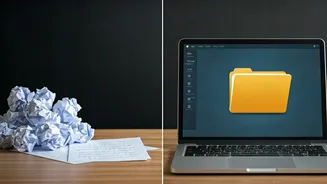









Start with a Story, Not Just a Prompt
Before you open a single app, the most crucial step remains deeply human. AI can build a deck, but it can't invent your core message. The best AI-generated presentations start with high-quality input. Instead of dumping a chaotic jumble of notes, take
ten minutes to structure your thoughts. What is the one thing you want your client to remember? What is the central conflict or problem your solution addresses? Create a simple outline: Problem, Agitation, Solution, Next Steps. This narrative framework provides the guardrails the AI needs to generate a coherent and compelling first draft. Garbage in, garbage out is the oldest rule in computing, and it applies doubly to creative AI. Your role shifts from bricklayer to architect; you provide the blueprint, and the AI handles the construction.
Choosing Your AI Co-Pilot
The market for AI presentation tools is exploding, but they generally fall into two camps. First are the all-in-one generators like Gamma or Tome. You give them a prompt—a topic, a document, or your structured notes—and they generate an entire multi-slide presentation from scratch, complete with text, layouts, and AI-generated images. The second category consists of AI assistants baked into familiar software like Microsoft PowerPoint (Designer and Copilot) and Google Slides. These tools focus more on enhancing your existing workflow. They might suggest layouts for a slide you’ve just added content to, help you rewrite a bullet point for clarity, or generate a summary. Your choice depends on your needs: do you want a fast first draft to react to, or a smart assistant to help you polish your own creation?
From Brain Dump to First Draft in Minutes
This is where the magic happens. You take your structured notes or your core prompt and feed it to the AI. Within moments, you have a fully-formed, eight-to-twelve slide deck. The AI will have created a title slide, an agenda, several content slides with headings and body text, and a concluding slide. It will have applied a consistent design theme and populated the deck with what it deems to be relevant stock or AI-generated imagery. This initial output is not your final product. Its true value is that it completely obliterates the “blank page” problem. You are no longer creating from zero; you are now editing, refining, and improving. This simple shift in process saves hours of painstaking work on structure and basic content population.
The Human Touch: The Art of Refinement
An AI’s first draft is often generic. It’s your job to inject specificity, personality, and nuance. This is where your expertise shines. Go through the deck slide by slide. Is the tone right for your client? Rewrite sections to sound more like you. The AI might have used a generic statistic; you can replace it with a powerful client testimonial or a proprietary data point. Are the images evocative, or are they corporate-cliché? Most AI tools allow for easy image swapping or re-prompting the image generator for something more specific. This human-in-the-loop process is essential. The AI handles the 80% of deck creation that is tedious and formulaic, freeing you up to spend your valuable time on the 20% that actually wins the business: the sharp insights, the unique perspective, and the confident storytelling.
Unlocking Consistent and “Stunning” Design
The “stunning” part of the headline is less about award-winning graphic design and more about professional polish and consistency. This is where AI truly excels. You no longer have to manually check that every heading is the same font size or that your color palette is used correctly on every slide. AI platforms manage themes and layouts globally. Want to try a different look? You can change the entire aesthetic of the deck with a single click, and the AI will reflow every element perfectly. This ensures a level of design discipline that was once the exclusive domain of trained designers. The result is a deck that looks clean, intentional, and, yes, stunningly professional—allowing your ideas, not your design skills, to take center stage.