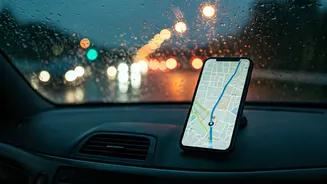









When Your Signal Fails You
We’ve all been there. You’re navigating an unfamiliar backroad, the weather turns sour, and suddenly your cell service vanishes. That calming digital voice falls silent, the map refuses to load, and a low-grade panic sets in. The “rainy-drive” scenario
is a classic, but it’s just one of many situations where our reliance on a live internet connection for navigation becomes a critical weakness. Think about exploring a national park, where cell towers are sparse by design. Or driving through rural stretches of states like West Virginia, Montana, or Maine, where dead zones are a fact of life. Even bustling cities can become navigational black holes during major events like concerts or parades, when network congestion brings data speeds to a crawl. And if you’re traveling internationally, relying on live maps can lead to exorbitant data roaming charges. In all these moments, an offline map isn’t just a convenience; it’s your get-out-of-jail-free card.
More Than Just a Backup Plan
While avoiding being stranded is the main event, the benefits of offline maps extend beyond emergencies. They are also masters of efficiency. Constantly fetching map data and tracking your location in real-time is a significant drain on your phone’s battery. When you use an offline map, your device’s GPS receiver is still active, but it isn’t desperately seeking a data connection to render the surrounding area. This simple switch can noticeably extend your battery life, which is invaluable on a long day of sightseeing or hiking. It’s also a powerful tool for managing your mobile data. If you’re on a limited data plan, streaming maps for a multi-hour road trip can eat up a surprising chunk of your monthly allowance. By downloading the map of your destination or your entire route over Wi-Fi before you leave, you’re essentially pre-paying for your navigational needs with free data. It’s a smart, simple habit that saves you money and ensures you have the data you need for other things, like streaming a road-trip playlist or looking up a restaurant review.
Your Five-Minute Preparedness Plan
The best part is that activating this superpower takes less than five minutes and is built right into the apps you already use. Here’s a quick guide for the two most popular platforms: **For Google Maps:** 1. Connect to Wi-Fi. 2. Open the app and search for a city, state, or region (e.g., “Yellowstone National Park” or “San Francisco”). 3. Tap the name of the place at the bottom of the screen to bring up its information card. 4. In the top-right corner, tap the three-dot menu and select “Download offline map.” 5. Adjust the box on the screen to cover the exact area you need, and tap “Download.” The app will tell you how much space it will take. **For Apple Maps:** 1. Connect to Wi-Fi. 2. Open the app and search for the area you want to save. 3. Tap the “Download” button that appears on the place card, or tap your profile picture next to the search bar and go to “Offline Maps.” 4. From there, you can select “Download New Map,” search for a location, and adjust the frame to cover the region you need. Your downloaded maps are typically stored for a year before they need updating, though the apps will often refresh them automatically when you’re on Wi-Fi to keep them current.
Know the Limitations
An offline map is a lifesaver, but it’s important to understand what it can and can’t do. The core function—turn-by-turn driving, walking, and sometimes cycling directions—works perfectly. You will still see your real-time position on the map as a blue dot because that relies on your phone's GPS chip, which doesn't need an internet connection. However, any feature that requires live data will be unavailable. This includes real-time traffic updates, which means you won’t be rerouted around a sudden accident or traffic jam. You also won't get live updates on business hours, transit schedules, or see new restaurant reviews. The map you download is a snapshot in time. For 99% of navigational needs, that’s perfectly fine. The goal is to get you from Point A to Point B safely and reliably, and for that, offline maps are undefeated.