








The Myth of Constant Connection
We live with a beautiful illusion: that our digital world is as reliable as the physical one. We expect our phones to be clairvoyant guides, always ready with a turn-by-turn direction, a traffic update, or the closest gas station. But this constant connectivity
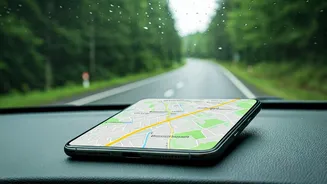
is fragile. The “rainy routes” of the world—both literal and metaphorical—are where this illusion shatters. A sudden downpour can interfere with cell signals. A drive through a national park or a remote mountain pass will reveal vast dead zones where data simply doesn't exist. Even in a bustling city, a major storm, power outage, or large-scale event can overload cell towers, rendering your live map useless right when you need it most. Relying solely on a live data stream for navigation is like heading into the wilderness with a water bottle that’s only half full; it works until, suddenly, it doesn't.
When the Blue Dot Disappears
The moment of failure is always the same. The map becomes a gray, pixelated grid. The friendly blue dot that represents you is frozen in place, or gone entirely. The app can no longer “find a route.” Panic, or at least a healthy dose of anxiety, begins to set in. This isn't just an inconvenience; it can be a genuine safety issue. That wrong turn onto an unmaintained forest road becomes much more serious when you can’t navigate your way back. Arriving in a new city after a long flight, only to find you can’t get directions to your hotel, is a frustrating and vulnerable start to any trip. The promise of technology is to reduce friction, but a failed connection adds it back tenfold. It leaves you stranded, guessing at road signs and wishing you’d prepared for the entirely predictable possibility of a signal loss.
The Simple Power of an Offline Map
The solution is elegant, simple, and built into the very apps we already use: offline maps. Think of it as taking a digital snapshot of a region and saving it directly to your phone. When you download an area, you're storing all the geographic data—roads, landmarks, points of interest—locally. This is the crucial part: your phone's GPS chip does not require a cell signal or Wi-Fi to function. It communicates directly with satellites orbiting the Earth to determine your precise location. When you have an offline map downloaded, your GPS can place that blue dot accurately on the stored map, allowing you to navigate seamlessly without a single bar of service. You can search for streets, get turn-by-turn directions, and see your progress in real-time. It’s the digital equivalent of having a detailed, folded paper map in your glove box, but one that magically knows exactly where you are.
Your Pre-Trip Digital Checklist
Making offline maps part of your travel prep takes less than two minutes. It should be as automatic as packing a toothbrush. Here’s how to do it in the most popular app, Google Maps:
1. Connect to Wi-Fi before you leave.
2. Open Google Maps and search for the city, county, or general region you'll be visiting (e.g., “Glacier National Park” or “Asheville, NC”).
3. Tap the name of the place at the bottom of the screen to pull up its information card.
4. In the top-right corner, tap the three-dot menu and select “Download offline map.”
5. Adjust the rectangle on the screen to cover the entire area you’ll be traveling through, including surrounding zones for a buffer. The app will tell you how much space it will take up.
6. Tap “Download.”
Once downloaded, the map is typically available for a year before it needs updating. Apple Maps has also improved its offline functionality, allowing you to download regions in a similar fashion. For hikers and backcountry adventurers, dedicated apps like AllTrails or Gaia GPS offer more detailed topographic offline maps that are indispensable for trail navigation.