



The Old Forecast vs. The New 'Nowcast'
For decades, weather forecasting has been about probabilities over large areas. Your standard weather app might tell you there’s a 40% chance of rain this afternoon in your county. That’s helpful for general planning, but it’s useless for knowing if you can
make a 15-minute dash to the grocery store without getting soaked. This is where predictive AI trackers change the game. Instead of forecasting, they specialize in 'nowcasting.' This technology isn’t predicting the weather hours from now; it’s analyzing real-time radar data to project the movement and intensity of rain in your immediate vicinity over the next 60 to 90 minutes. It answers the question, 'Will it rain on my specific location in the next half-hour?'
How AI Tracks Storms Like Airplanes
The term 'flight trackers' is an apt analogy. Just as a flight tracker shows a plane's current location, speed, and projected path, these weather tools do the same for storm cells. The system ingests a continuous stream of high-resolution Doppler radar imagery, which shows existing precipitation. The 'AI' component comes from machine learning algorithms that have been trained on countless past weather events. These algorithms learn to recognize patterns in how storm cells form, move, intensify, and dissipate. By analyzing a storm's current trajectory and characteristics, the AI can generate a highly accurate, short-term projection of its path, almost as if it's plotting the course of an incoming flight. This is the technology that powers features like Apple Weather's 'Next-Hour Precipitation' chart, which was born from its acquisition of the popular app Dark Sky.
Making It Work for You
The key is to think in minutes, not hours. Are you about to leave the office for your commute? Open your app and check the minute-by-minute chart. If it shows rain starting in 25 minutes, you know you can likely make it home dry. Planning an evening run? A quick check can tell you if a small storm cell is about to pass over, helping you decide whether to go now, wait an hour, or hit the treadmill. These tools are perfect for timing dog walks, outdoor lunches, or packing up from a picnic at the park just before the first drops fall. It transforms your relationship with weather from passive acceptance to active navigation.
What to Look For in a Weather App
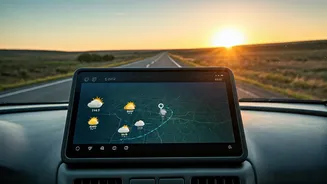
While Apple's default Weather app has this functionality built-in for many locations, other dedicated apps offer even more powerful features. When looking for a good predictive tool, here's what matters most: 1. **Minute-by-Minute Precipitation Chart:** This is the core feature—a timeline showing exactly when rain is expected to start and stop at your location, and at what intensity (light, medium, heavy). 2. **High-Resolution Radar Map:** A good map will let you animate the past hour of rainfall and see the projected future path of the storm cells. This visual context helps you understand if you’re on the edge of a storm or directly in its path. 3. **Customizable Rain Alerts:** The best apps will send you a push notification a set number of minutes before rain is expected to arrive at your GPS location, such as 'Light rain starting in 15 minutes.' Apps like CARROT Weather, MyRadar, and ForeFlight (for aviation) are well-known for excelling in these areas, offering a level of detail that goes beyond standard forecasts.
Understand the Limitations
As powerful as nowcasting is, it’s not magic. Its strength is in tracking existing precipitation. It is far less effective at predicting 'pop-up' thunderstorms that form suddenly on a hot, humid afternoon, because there's no existing storm cell to track until it begins to form. Therefore, these tools should complement, not replace, traditional weather forecasts. Use the daily forecast to understand the big picture—is the day ripe for thunderstorms? Then, use the nowcasting tool to navigate the specific threats as they appear on the radar. Think of it as the difference between strategic planning and real-time tactical decisions.