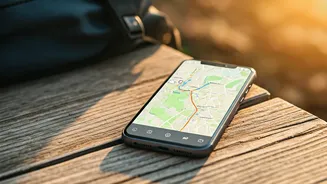







Escape the Data and Wi-Fi Trap
The most obvious benefit of offline maps is freedom from the relentless hunt for connectivity. International data plans can be notoriously expensive, and relying on public Wi-Fi hotspots to navigate is both inconvenient and a potential security risk.
Picture this: instead of panicking when your phone loses signal in a subway tunnel or paying exorbitant roaming fees to look up your hotel's address, you simply open your map app and it works. Instantly. By downloading the map of a city or region beforehand, you are no longer tethered to a cellular provider's coverage or a cafe's finicky connection. This simple act transforms your phone from a data-dependent liability into a self-sufficient navigation tool, saving you money and eliminating a significant source of travel stress.
Navigate with Confidence, Anywhere
Many people mistakenly believe that without a cell signal, their phone's GPS is useless. This isn't true. Your smartphone’s GPS receiver can determine your location using satellite signals, which are available globally and do not require a data connection. The data connection is only needed to *download* the map tiles in real time. When you have an offline map saved, your phone’s GPS places your blue dot onto that pre-downloaded map with perfect accuracy. This is a game-changer for anyone venturing beyond urban centers. Driving through a rural national park with spotty service? Hiking a trail just outside of town? Exploring a historic old city with thick stone walls that block cell signals? In all these scenarios, an offline map ensures you are never truly lost. It provides the confidence to explore spontaneously, knowing you always have a reliable way to find your way back.
Save More Than Just Your Signal
The benefits extend beyond simple navigation and cost savings. Constantly searching for a cell signal and downloading map data is a major drain on your phone’s battery. By using an offline map, you can often put your phone in Airplane Mode, which dramatically extends your battery life—a precious commodity when you’re out exploring all day. Furthermore, using an offline map can subtly change how you travel. Without the constant lure of notifications and the temptation to check other apps, you become more present. You look up from your screen and observe the world around you. It encourages a more mindful and deliberate form of discovery, turning a simple walk into a genuine exploration rather than just a digital point-A-to-point-B exercise.
How to Wield Your New Weapon
The process is incredibly simple. The most popular mapping app, Google Maps, has a robust offline feature. The process is straightforward: 1. Connect to Wi-Fi before you leave your hotel or home. 2. Open Google Maps and search for the city or area you'll be exploring (e.g., "Manhattan" or "Tuscany"). 3. Tap on the name of the place at the bottom of the screen. In the menu that appears (you may need to tap the three dots in the upper right), select "Download offline map." 4. Adjust the rectangular frame to cover the exact area you need, and tap "Download." The map will be saved to your phone for a year (Google will remind you to update it). When you're in that area without a connection, the app will automatically switch to the offline version. You can still search for saved locations and get driving directions. While walking and transit directions are sometimes limited offline, the core function—seeing where you are on the map—is flawless.