






Why Your Signal Is the First to Go
We live in an age of constant connection, which makes it all the more jarring when it vanishes. During severe weather—whether it’s a Southwestern monsoon squall, a Midwestern thunderstorm, or a coastal hurricane—your phone’s data connection is surprisingly
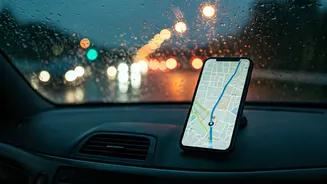
fragile. Heavy rain, high winds, and lightning can directly damage cell towers. More commonly, widespread power outages knock them offline. Even if the towers are fine, network congestion can bring service to a crawl as everyone in the affected area tries to make calls, check updates, and stream content at the same time. The result is the same: the navigation app you rely on becomes a useless, static image right when you’re lost, disoriented, and trying to find a safe route home.
The Modern Fix: An Old-School Idea
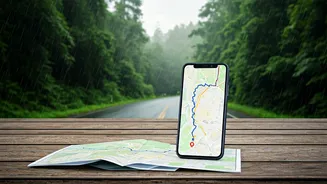
Offline maps are the digital equivalent of keeping a folded paper map in your glove compartment. Instead of streaming map data in real time, you download a specific geographic area—a city, a state, or your entire road trip route—directly to your phone's storage. When you lose your connection, the app seamlessly switches to this stored data. Your phone’s GPS chip, which communicates with satellites, doesn’t require a cell signal to work. This means your phone will still know exactly where you are, and the offline map provides the context, allowing the app to give you turn-by-turn directions to your destination. It’s a simple, brilliant solution that leverages the power of your device without depending on the fickle nature of the cellular network.
Your 5-Minute Pre-Storm Prep
Setting this up is easier than you think, and it’s a task you can complete in less time than it takes to brew a cup of coffee. The process is similar on most major map applications. On Google Maps: Search for a city or region. At the bottom, tap the name of the place, then find and select “Download.” You can pinch and zoom to define the exact area you want to save. The app will tell you how much space it will take up. On Apple Maps: Search for a location, tap it, and look for the “Download” button. If you have a route planned, you’ll also see a prompt to download the map area for offline use. It’s designed to be an intuitive, one-tap process. Pro-tip: In your app’s settings, you can enable maps to automatically update over Wi-Fi. This ensures your offline data is always current without using your mobile data, making it a true “set it and forget it” safety feature.
Knowing the Limitations
While offline maps are a game-changer, it’s important to understand what they can and can’t do. They are fantastic for navigation and routing on existing roads. You will get from Point A to Point B. However, because they are not connected to the internet, they cannot provide live information. Your offline map won’t know about the accident that just happened up ahead or the flash flood that has closed a low-lying road in the last hour. You won’t get real-time traffic data, so the estimated arrival time will be based on standard speed limits, not current conditions. Think of it as a foundational safety net. It guarantees you won’t get lost, but it doesn’t replace situational awareness. Always pay attention to emergency alerts, watch for physical road closure signs, and never, ever drive through standing water.