








Remote Coding Revolution
Anthropic has introduced a groundbreaking enhancement for its Claude Code assistant, a feature dubbed 'Channels'. This innovation liberates developers
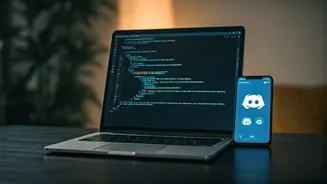
from their workstations, enabling them to initiate and oversee coding tasks directly from familiar messaging platforms like Telegram and Discord. Imagine troubleshooting a critical issue or deploying a new feature without being tethered to your desk – this is now a reality. The integration ensures that if any errors or significant events occur during a coding session, Claude can promptly dispatch notifications through the connected messaging channel. This proactive alert system empowers developers to address problems swiftly and efficiently, even when away from their primary development environment, fostering a more flexible and responsive approach to software development. The core idea is to bring the power of Claude Code directly to where developers already communicate and collaborate, streamlining the entire development lifecycle and reducing downtime.
Seamless Integration Setup
Setting up Claude Code Channels for your messaging apps is designed to be straightforward. The primary requirement is to establish a Telegram bot, which acts as the bridge between Claude Code and your Telegram account. Beyond this, you'll need to ensure your Claude Code is updated to version 2.1.80 or a more recent iteration. Accessing Claude.ai is also a prerequisite for utilizing this feature. For those who prefer not to link external applications or are exploring the functionality, a local simulation tool named 'Fakechat' is available. This simulator allows for testing the notification and interaction flow without needing to connect to actual messaging services. A crucial aspect to remember for uninterrupted service is to maintain the activity of your AI session; an inactive session might lead to missed notifications, so keeping it alive is key to leveraging the full benefits of this real-time communication.