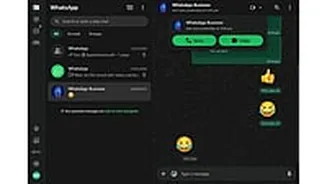









Calls Directly From Browser
In a significant leap for user convenience, WhatsApp has rolled out its highly anticipated voice and video calling functionalities to its web platform.
This means you can now initiate and receive calls directly through your web browser, eliminating the need for a separate desktop application. Initially, this feature is available for one-on-one conversations, offering a more integrated and accessible way to connect with individuals. The platform has also indicated that support for group calling is on the horizon, promising further enhancements to group communication capabilities in upcoming updates. This move aims to streamline the user experience, making it simpler than ever to stay in touch with friends, family, and professional contacts, regardless of the device they are using.
Secure Calls Ensured
Your conversations on WhatsApp Web are designed with your privacy at the forefront. Just like the mobile and desktop applications, all voice and video calls made through the web interface are protected by robust end-to-end encryption. This advanced security measure ensures that only you and the person you are speaking with can access the content of your calls; neither WhatsApp nor its parent company, Meta, can listen in or decipher the conversations. This encryption is applied automatically, meaning there are no special settings for users to adjust. It provides an inherent layer of security, giving you peace of mind that your personal and professional communications remain confidential and protected from unauthorized access at all times.
Screen Sharing Feature
Beyond voice and video calls, WhatsApp Web is introducing a practical screen sharing feature during video calls, mirroring its capabilities on desktop apps. This functionality allows users to present documents, share presentations, or demonstrate processes directly from their browser to the person they are on a call with. It’s a powerful tool for collaboration and communication, especially in professional settings. However, users are advised to exercise caution when utilizing this feature. Anything displayed on your screen, including sensitive information like passwords or personal data, will be visible to the other participant. Therefore, it’s crucial to ensure your screen is clear of any confidential material before initiating screen sharing.