








Understanding 'Instants' Feature
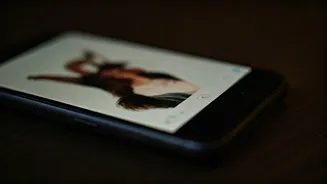
Instagram recently rolled out a new functionality called 'Instants', designed to facilitate the spontaneous sharing of photos that vanish after a short
period. This feature, intended to capture and share 'real-life moments' with a sense of immediacy, has not yet garnered widespread adoption among its vast user base. For some individuals, the introduction of 'Instants' has inadvertently led to unintentional photo disclosures. The 'Instants' feature is accessible through a small icon resembling a stack of photos located in the lower-right section of the direct message inbox. Upon initial access, users are presented with a brief explanation of its purpose. A key characteristic of 'Instants' is the absence of a viewer list; instead, reactions and replies remain private. Navigating within 'Instants' reveals a collection of images posted by accounts the user follows. Further interaction allows users to cycle through posts from different individuals. A swipe to the left or upward gesture then activates the device's camera, enabling an immediate photo capture and subsequent sharing. Users have the option to designate the audience for their shared 'Instants' posts, choosing between 'Friends' or 'Close Friends'. It is important to note that the default sharing setting is 'Friends', underscoring the necessity for users to exercise caution. A significant point of confusion for many new users is that the platform does not explicitly inform them that upon capturing an image, it is automatically transmitted to their entire friend list. This lack of transparency in the instant capture and upload process is a primary reason why many users are seeking to deactivate the feature. The sudden and automatic nature of sharing has resulted in numerous instances of accidental image dissemination, with many users only becoming aware of their shared photos upon receiving unsolicited reactions in their inboxes.
Disabling the Feature
To regain control over your photo sharing and prevent unintended dispatches via the 'Instants' feature, the process to disable it is straightforward. Begin by navigating to your personal profile page on Instagram. From there, locate and tap the menu icon, typically represented by three horizontal lines situated in the upper-right corner of the screen. This action will reveal a range of settings and options. Select the 'Content Preferences' option, which is usually found towards the bottom of the menu. Within this section, you will find various customizations for the content displayed on your feed. Scroll down to the very bottom of the 'Content Preferences' screen. Here, you will see an option labeled 'Hide instants in inbox.' Activate this toggle switch by tapping it. Once this option is enabled, the 'Instants' feature will be deactivated, and you will no longer receive or be able to inadvertently send these ephemeral photos through this specific mechanism. This simple adjustment ensures that your interactions remain more intentional and private, aligning with your desired sharing habits and preventing any further accidental content sharing.
Managing Accidental Shares
In the event that you mistakenly capture and share a photo using the 'Instants' feature, Instagram provides an immediate recourse. Directly beneath the shutter button, after an accidental capture, an 'undo' button becomes visible. Tapping this 'undo' button promptly retracts the shared image. You will observe a confirmation checkmark followed by the message 'Unshared,' signifying that the photo has been successfully removed and is no longer visible to its intended recipients. For users who wish to review all the 'Instants' they have previously shared, there is an archive accessible through a specific icon. This icon, usually resembling four small squares arranged in a grid, is located in the top-right corner of the 'Instants' interface. Clicking this button opens the archive, displaying a history of all your 'Instants' posts. Within this archive, you have the capability to download your past 'Instants' to create a recap or to permanently delete them if desired. This provides a comprehensive way to manage your ephemeral content and maintain control over your shared visual history.
Instants: A Deeper Dive
Introduced on May 13, Instagram's 'Instants' feature was envisioned as a novel method for sharing immediate visual updates, intended for close friends or mutual followers with minimal effort – a single tap. The photos shared through this ephemeral channel are designed to disappear after being viewed by the recipient and are not retrievable after a 24-hour period. Prior to sharing, users are afforded the ability to edit their 'Instants' content, allowing for minor adjustments. A significant privacy assurance provided by the platform is that friends cannot take screenshots or record 'Instants' while they are being viewed. In terms of user safety and privacy, Meta has affirmed that all existing Instagram protections are applied to 'Instants.' This includes in-app tools such as 'Block,' 'Mute,' and 'Restrict,' which empower users to curate their experience and limit receiving 'Instants' from specific individuals. For younger users, 'Instants' is seamlessly integrated into Teen Accounts and the Family Centre. This means that parental supervision already established for a teen's Instagram account automatically extends to their use of 'Instants,' requiring no separate setup. This integrated approach includes noteworthy safeguards like shared time limits, a sleep mode, various safety tools, and parental notifications, ensuring a more controlled environment for adolescent users.