







Understanding the Algorithm
Instagram's Reels algorithm is a sophisticated system designed to learn and adapt to your viewing habits, aiming to present you with content you'll find
most engaging. It meticulously analyzes every interaction, from watching a Reel to completion, rewatching segments, liking posts, or leaving comments. This constant feedback loop helps the platform understand your preferences across various topics like fitness, entertainment, or education. However, sometimes this very system can lead to a feeling of monotony, with repeated trends or suggestions that no longer align with your evolving interests. This can occur even with inadvertent clicks or interactions, which might push related, yet unwanted, videos back into your feed. Furthermore, as your own interests naturally shift over time, the content that once resonated might become outdated, signaling a need to recalibrate the algorithm to reflect your current preferences and ensure a consistently relevant viewing experience.
Why Reset Your Reels
There are several compelling reasons why you might consider resetting Instagram's Reels algorithm to refresh your content suggestions. Perhaps you've noticed a pattern of repetitive videos, with the same trends or popular creators appearing over and over, making your browsing experience feel stale. Alternatively, your interests may have naturally evolved since you first started using the platform, and the algorithm hasn't quite caught up, leading to a mismatch between what you see and what you're currently interested in. You might also stumble upon content that you find irrelevant, unappealing, or even upsetting, and a reset can act as a powerful way to clear out these unwanted suggestions. By recalibrating the system, you give Instagram a chance to rebuild your feed from a more neutral starting point, significantly increasing the likelihood of discovering new, exciting content that genuinely aligns with your current tastes and preferences, thereby enhancing your overall enjoyment of the platform.
Steps to Reset
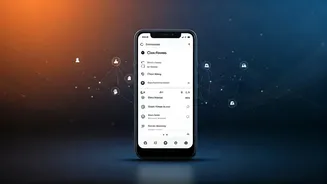
Fortunately, Instagram provides a built-in feature to reset your suggested content, offering a straightforward way to refresh your Reels algorithm. To initiate this process, first, open the Instagram application on your device and navigate to your profile page. Once there, locate and tap the three-bar menu icon, typically found in the top-right corner of the screen. From the dropdown menu that appears, select the 'Content Preferences' option. Within this menu, you will find an option labeled 'Reset suggested content'; tap on this. The app will then present you with some information explaining the reset; review this carefully and confirm your acceptance of the terms. Finally, to complete the action, tap the 'Reset suggested content' button. After successfully completing these steps, Instagram will begin the process of re-customizing your suggestions. You'll start to see a variety of content that aims to broaden your horizons and potentially introduce you to subjects beyond your usual viewing patterns. It's important to note that this reset action is permanent and cannot be undone, so proceed with the understanding that your algorithm will be recalibrated.